Graduate Ready CV Template – Free for New Graduates
Free Graduate Ready CV template for students and new graduates. Highlight education, projects and internships, then export a clean ATS-friendly PDF in minutes.
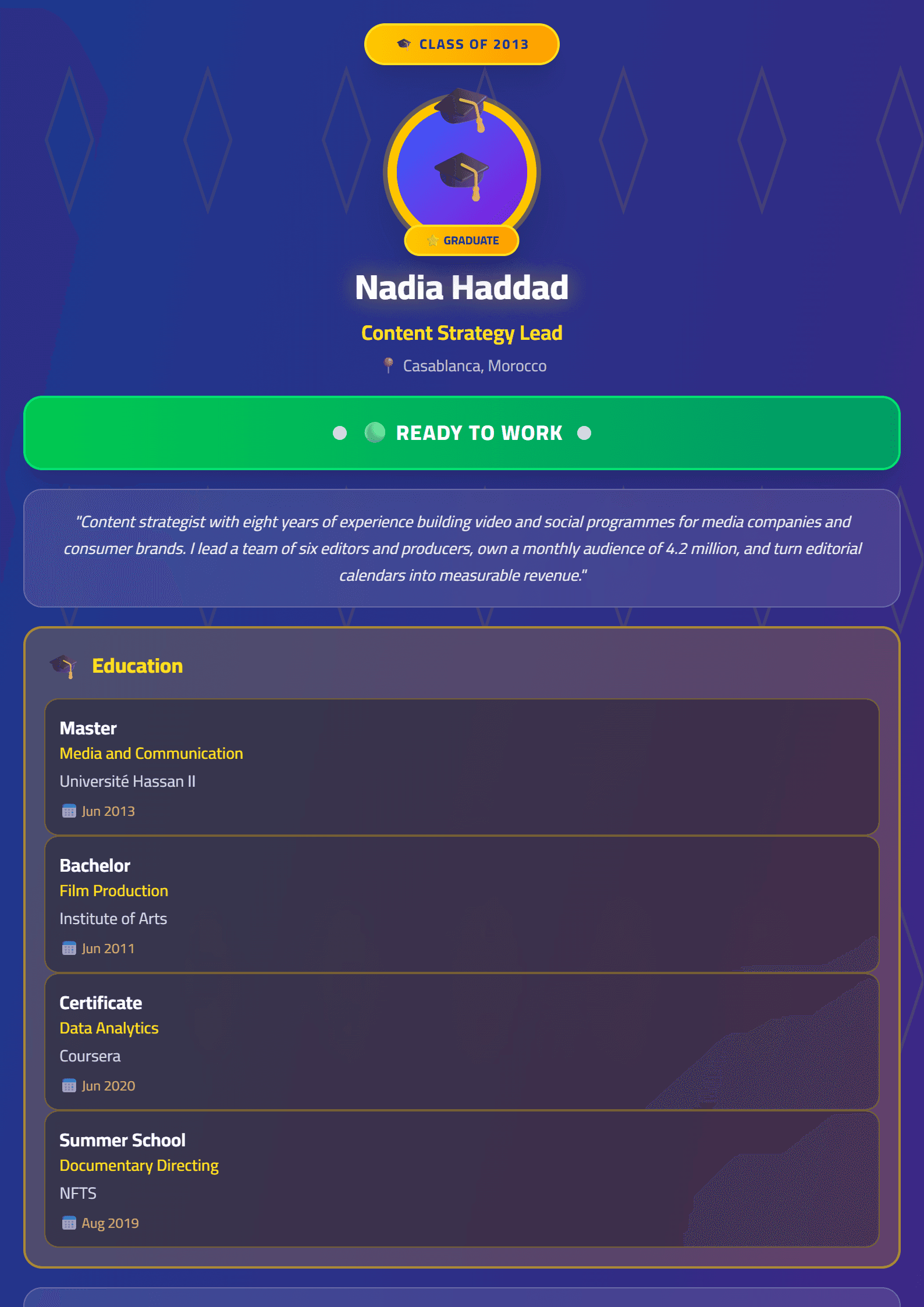
What Is the Graduate Ready CV Template?
Graduate Ready is a free CV template built specifically for recent graduates, final-year students and first-time job seekers who need a professional resume without years of work experience. Instead of leaving empty gaps where senior candidates list a decade of jobs, this layout puts your degree, coursework, projects, internships and volunteering front and center so recruiters immediately see your potential.
The template is fully editable inside the CV Brander editor, exports to PDF or Word, and works in English, Arabic and French.
Who Should Use This Template?
- New graduates applying for their first full-time role.
- Final-year students hunting for internships or graduate programs.
- Career switchers who finished a diploma or bootcamp and have limited relevant experience.
- Anyone with a strong academic record but a short employment history.
If you already have three or more years of professional experience, a denser layout such as Emerging Professional may serve you better. For pure corporate roles, compare the Classic template as well.
How to Fill In the Graduate Ready Template Step by Step
- Open the editor and select the Graduate Ready layout, then choose your language version.
- Write a focused headline under your name, for example "Marketing Graduate | SEO & Content" instead of a vague "Job Seeker".
- Lead with education. Put your degree, university, graduation date and GPA or honors in the top block.
- Add an academic projects section and describe each project with an action verb plus a measurable result.
- List internships, part-time jobs and volunteering in reverse chronological order, even if they feel small.
- Add skills and certifications using keywords copied from the job posting.
- Run the ATS Resume Scanner to confirm your file is machine-readable.
- Export and review the PDF on both desktop and mobile before sending.
Practical Tips for a Strong Graduate CV
Keep the whole document to one page. Recruiters spend seconds on a first scan, so use bold subheadings and short bullet lines. Quantify everything you can: "ran a student survey with 120 responses" beats "helped with research". Mirror the exact job title and skills from the vacancy, because most large employers filter applications through an ATS before a human ever reads them. Avoid photos, graphics and unusual fonts unless you are applying in a market where photos are expected; if you do need one, use the CV with photo guide.
Finally, proofread out loud and ask a lecturer or a friend to check spelling. A single typo on a one-page graduate CV is far more visible than on a three-page executive resume.
Common Mistakes to Avoid
- Listing a long "Objective" paragraph instead of a sharp two-line summary.
- Padding the page with high-school details once you hold a degree.
- Using tables or text boxes that break ATS parsing.
- Forgetting to name the file professionally, e.g. Firstname-Lastname-CV.pdf.
Start now in the free CV editor and finish your graduate resume in under 20 minutes.
Like this template?
Use this template now — Free100% Free
No registration or watermark
Multi-Format Export
PDF, Word, PNG, JPG
ATS Compatible
Templates specifically designed to pass ATS systems and increase your chances.