Facebook Strong CV Template – Bold Resume Design
Create a bold, Facebook-inspired CV with the Facebook Strong template. Modern layout, clear sections and free editing in the CV Brander online editor.
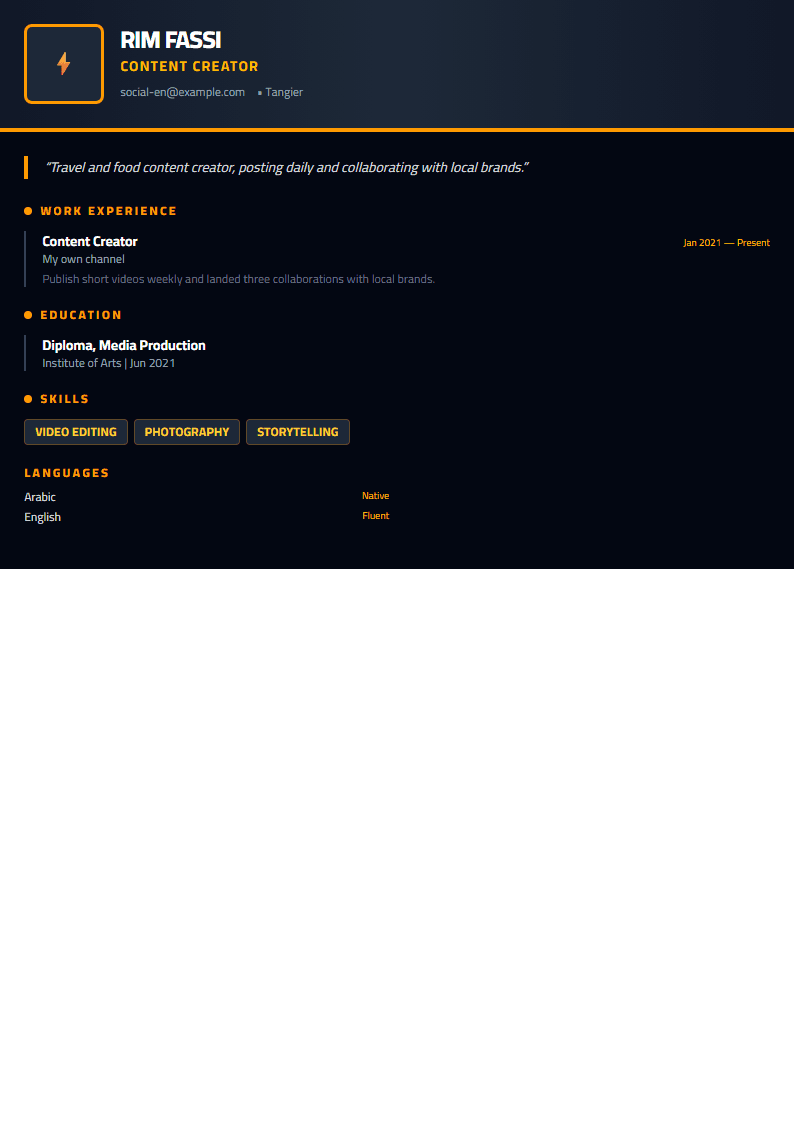
What Is the Facebook Strong Template?
The Facebook Strong template is a bold, social-media-inspired CV design that borrows the confidence of a strong Facebook profile and turns it into a professional resume layout. Instead of a dull, boxy document, you get a striking header with a prominent name area, clean section blocks, and generous white space that makes your achievements easy to scan in seconds.
It was built for people who want their CV to feel modern and self-assured without losing the structure recruiters expect. Every section — summary, experience, education, skills — keeps a clear hierarchy, so hiring managers can find what they need immediately. If you like this look, you can open the Facebook Strong template and start editing right away.
Who Should Use This Template
- Marketing and social media professionals who work with Facebook, Meta Ads, or community management and want a CV that matches their field.
- Junior and mid-level candidates who need a design that stands out from plain Word documents.
- Career changers moving into digital roles where a bold, modern presentation is an advantage.
- Freelancers and creators who want a resume that looks like a personal brand rather than a form.
If your target role is highly conservative — banking, law, government — a more traditional option such as the Classic template may serve you better. But for creative, tech, and digital positions, a bold layout can genuinely help you get noticed.
How to Use It Step by Step
- Open the editor. Go to the CV editor and select Facebook Strong from the template gallery.
- Fill in your header. Use your full name, target job title, email, phone, city, and a link to your portfolio or LinkedIn profile.
- Write a short summary. Three or four lines: who you are, your strongest skill, and the result you deliver.
- Add experience in reverse order. For each role, write one line of context and three bullet points with measurable outcomes.
- List hard skills first. Put the tools and technologies mentioned in the job ad at the top of your skills block.
- Check the layout. Make sure the CV fits one or two pages cleanly, with no orphan lines or half-empty sections.
- Download and test. Export as PDF, then run it through the ATS Resume Scanner to confirm the file parses correctly.
Practical Tips for a Stronger Result
Bold design only works when the content is just as strong. Keep these habits in mind:
- Start every bullet with an action verb and end with a number whenever possible.
- Mirror keywords from the job description — this is what most applicant tracking systems look for.
- Keep the font size between 10 and 12 points so the design stays readable when printed.
- Avoid photos unless the employer or country expects them; the layout works perfectly without one.
- Use the Resume Keyword Optimizer before you apply to catch missing terms.
- Send the same CV to three trusted people and ask what they remember after ten seconds.
Design Details That Make It Work
The Facebook Strong layout uses a strong name block, a subtle accent color, and clearly separated sections. Because the structure is simple, you can change the accent color to match your industry without breaking the design. The spacing is generous enough to breathe, yet compact enough to fit a full career history on two pages.
If you want to compare alternatives before committing, browse the full template gallery and preview a few styles side by side. Many candidates keep two versions: one bold design for creative roles and one conservative design for formal applications.
Final Advice
A template is a starting point, not a strategy. The Facebook Strong design gives you a confident, modern frame — your job is to fill it with evidence. Quantify your results, keep the language active and specific, and tailor the summary for every application. Do that, and the visual strength of the template will simply reinforce an already convincing story.
Like this template?
Use this template now — Free100% Free
No registration or watermark
Multi-Format Export
PDF, Word, PNG, JPG
ATS Compatible
Templates specifically designed to pass ATS systems and increase your chances.