Uber CV Template – Free Modern Resume Builder
Build a modern Uber-style CV free on CV Brander. Clean layout, ATS-ready sections, no signup. Fill, preview and download in minutes.
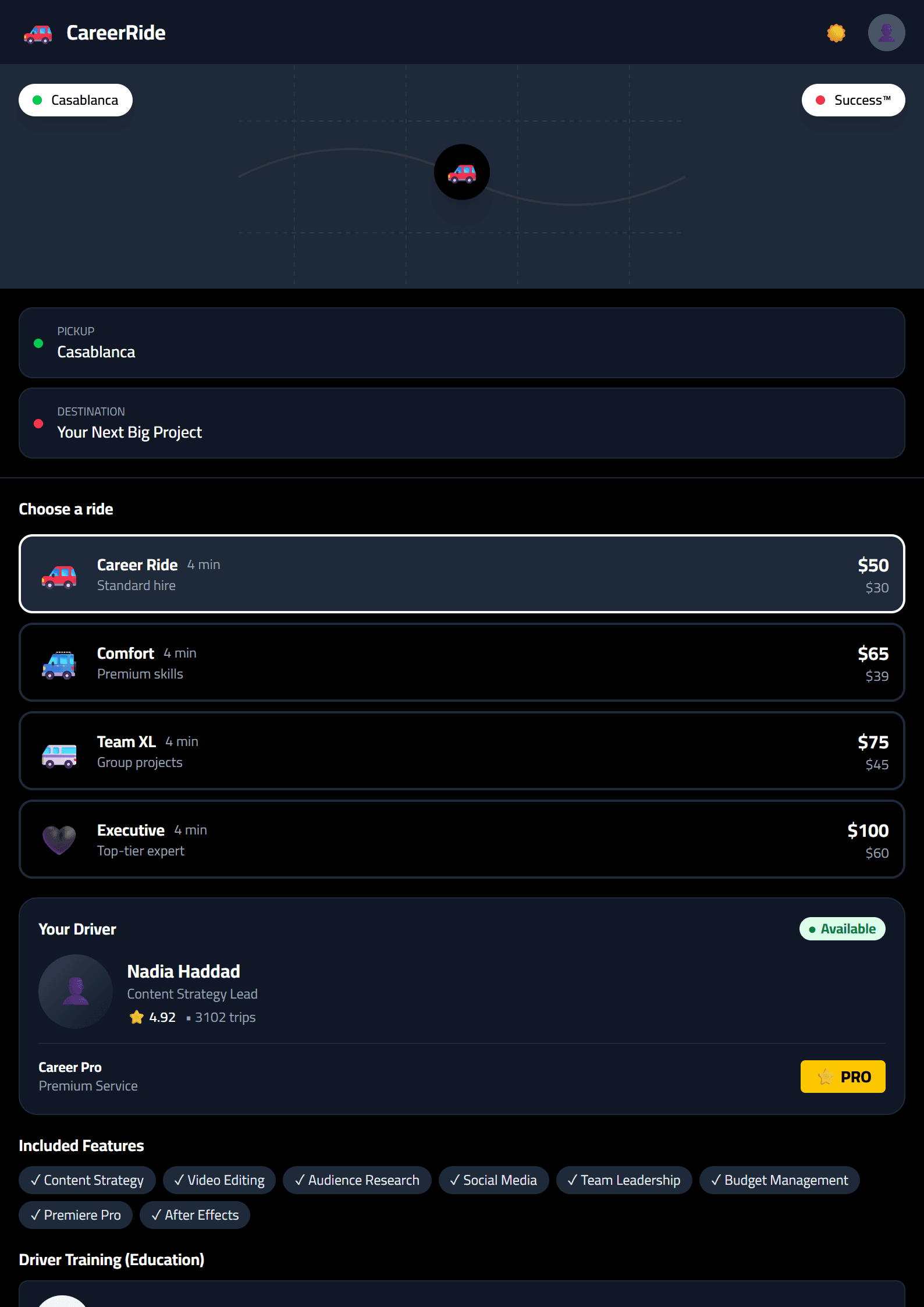
What Is the Uber CV Template?
The Uber CV template on CV Brander turns the familiar ride-hailing look into a clean, modern resume layout. It borrows the confident typography, clear route-style structure and minimal color palette of the Uber brand, then reorganizes everything around the sections recruiters actually read: summary, experience, skills, education and contact details. The result is a resume that feels fast, organized and forward-moving — a fitting metaphor for a career that is going places.
Because the template is built inside the free CV editor, you can fill it in, preview it and download it in minutes, with no signup required and no watermarks.
Who Should Use This Template?
The Uber template works best for candidates who want a modern, no-nonsense presentation without giving up personality. It suits:
- Drivers and gig workers moving into logistics, delivery coordination or fleet roles.
- Operations and customer support professionals who need a clear, scannable layout.
- Tech and product candidates who like a clean, app-inspired aesthetic.
- Career changers who want a fresh look that signals momentum rather than tradition.
- Students and recent graduates applying for their first full-time role.
If your target industry is conservative finance or law, you may prefer a more formal option such as the Executive template. For everyone else, Uber strikes a strong balance between style and readability.
How to Build Your Resume Step by Step
- Open the template. Go to the Uber template page and click to start editing.
- Add your header. Enter your name, target job title, city, email, phone and a LinkedIn or portfolio link.
- Write a sharp summary. Three lines maximum: who you are, your strongest skill and the value you deliver.
- List experience in reverse order. For each role, use one line of context plus two to four bullet points with measurable results.
- Group your skills. Separate technical tools from soft skills so both humans and software can scan them quickly.
- Check and download. Run a final proofread, then export as PDF or Word.
Practical Tips for a Stronger Resume
Great design cannot rescue weak content, so pair the template with solid writing. Start every bullet with a strong action verb, quantify outcomes wherever possible, and keep the whole document to one page if you have under ten years of experience. Avoid generic phrases like "hard-working team player" and replace them with evidence: "handled 60+ customer tickets daily with a 96% satisfaction score."
Before you apply, test your draft with the ATS Resume Scanner to confirm that applicant tracking systems can parse your headings and keywords. You can also use the Resume Keyword Optimizer to align your wording with the job description, which is one of the fastest ways to improve your callback rate.
Common Mistakes to Avoid
- Using decorative fonts that break when the file is parsed by software.
- Cramming in every past job instead of focusing on relevant experience.
- Leaving out numbers — percentages, budgets, volumes and timeframes.
- Forgetting to update your contact details and links.
- Sending the same resume to every employer without tailoring keywords.
Keep the layout clean, the language specific and the file name professional, for example Firstname-Lastname-Resume.pdf. If you want to compare alternatives before committing, browse the full template gallery and pick the style that matches your industry. With the Uber template, your resume looks as driven as you are.
Like this template?
Use this template now — Free100% Free
No registration or watermark
Multi-Format Export
PDF, Word, PNG, JPG
ATS Compatible
Templates specifically designed to pass ATS systems and increase your chances.