Executive Resume Template – Free Professional CV
Build a senior-level resume with the free Executive CV template. Clean, ATS-friendly layout for managers, directors and C-level candidates.
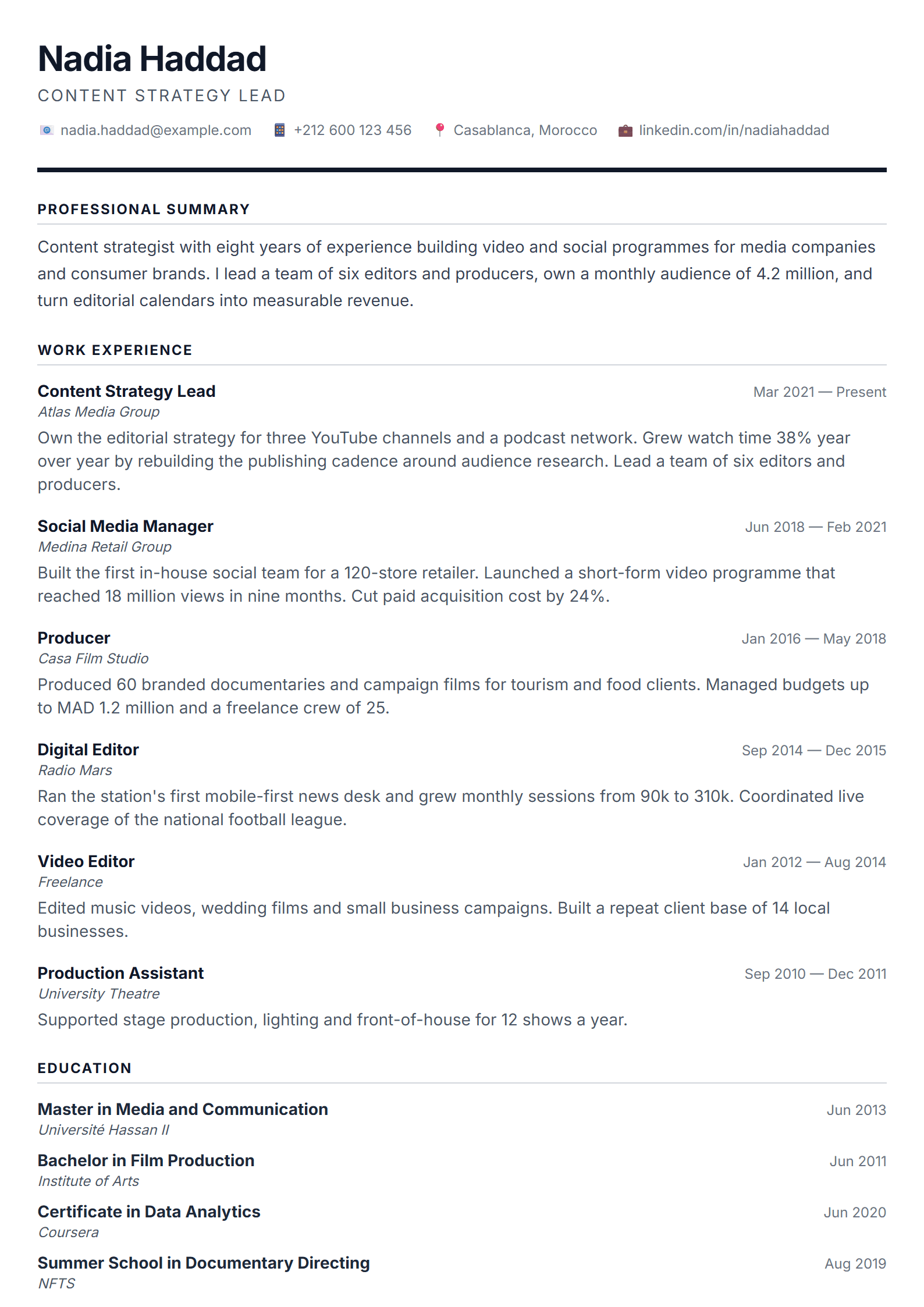
What Is the Executive Resume Template?
The Executive template from CV Brander is a professional, senior-level resume design built for managers, directors, C-level candidates and consultants who need to project authority and measurable impact. Unlike generic layouts, it gives prominence to your leadership summary, career achievements and scope of responsibility, so recruiters see your track record before they reach the fine print.
The layout is clean, single-column and highly readable, which also makes it a strong choice for applicant tracking systems. You can build, edit and download your resume free of charge through the CV editor.
Who Should Use This Template
- Senior managers and department heads with 8+ years of experience.
- Directors, VPs and C-level executives preparing for board-level roles.
- Management consultants and program leads who must show scope and budget ownership.
- Professionals targeting large corporations, where formal tone matters.
If you are applying to a heavily automated pipeline, pair it with the ATS Executive layout. If you need a shorter, more direct version for networking, the Short template works well alongside it.
How to Build Your Executive Resume Step by Step
- Open the editor. Select the Executive template and choose your language and page size.
- Write the executive summary first. Three to four lines: your title, years of experience, industry, and one headline achievement with a number.
- Add a core competencies block. Six to ten keywords that mirror the job posting, such as P&L ownership, change management or M&A integration.
- List experience in reverse order. For each role, add scope (team size, budget, regions) and then three to five bullet points with results.
- Quantify everything you can. Revenue growth, cost reduction, margin improvement, retention, delivery speed.
- Add education, certifications and languages. Keep this section compact; seniority is shown in the experience section.
- Check your score with the CV Score Checker and export the final PDF.
Practical Tips for Senior Candidates
- Lead with impact, not duties. "Grew regional revenue 32% in 18 months" beats "Responsible for sales region".
- Keep the resume to two pages unless you have 20+ years of relevant experience.
- Use a formal, consistent tense: present for the current role, past for previous ones.
- Name the tools and frameworks you use in governance, budgeting and reporting.
- Avoid photos and decorative graphics for corporate applications; keep the file ATS-safe.
- Save a plain-text version for online application forms that strip formatting.
Common Mistakes to Avoid
The most frequent problem in executive resumes is an unexplained career gap or a vague title. Add a one-line explanation under the relevant role and clarify scope in the job title line. Another mistake is copying the same resume to every opening: adjust the summary and competencies to match each job description. Finally, do not hide your achievements in long paragraphs; recruiters skim, so bullets with numbers win.
Make It Yours
Start from the Executive template, customise the accent colour and typography, then export a PDF or Word file. Everything is free, and no sign-up is required to download your finished resume.
Like this template?
Use this template now — Free100% Free
No registration or watermark
Multi-Format Export
PDF, Word, PNG, JPG
ATS Compatible
Templates specifically designed to pass ATS systems and increase your chances.