Short Resume Template – One-Page CV Builder
Build a compact one-page resume with the Short template. Free, editable, ATS-friendly, and ready to export in minutes. No sign-up required.
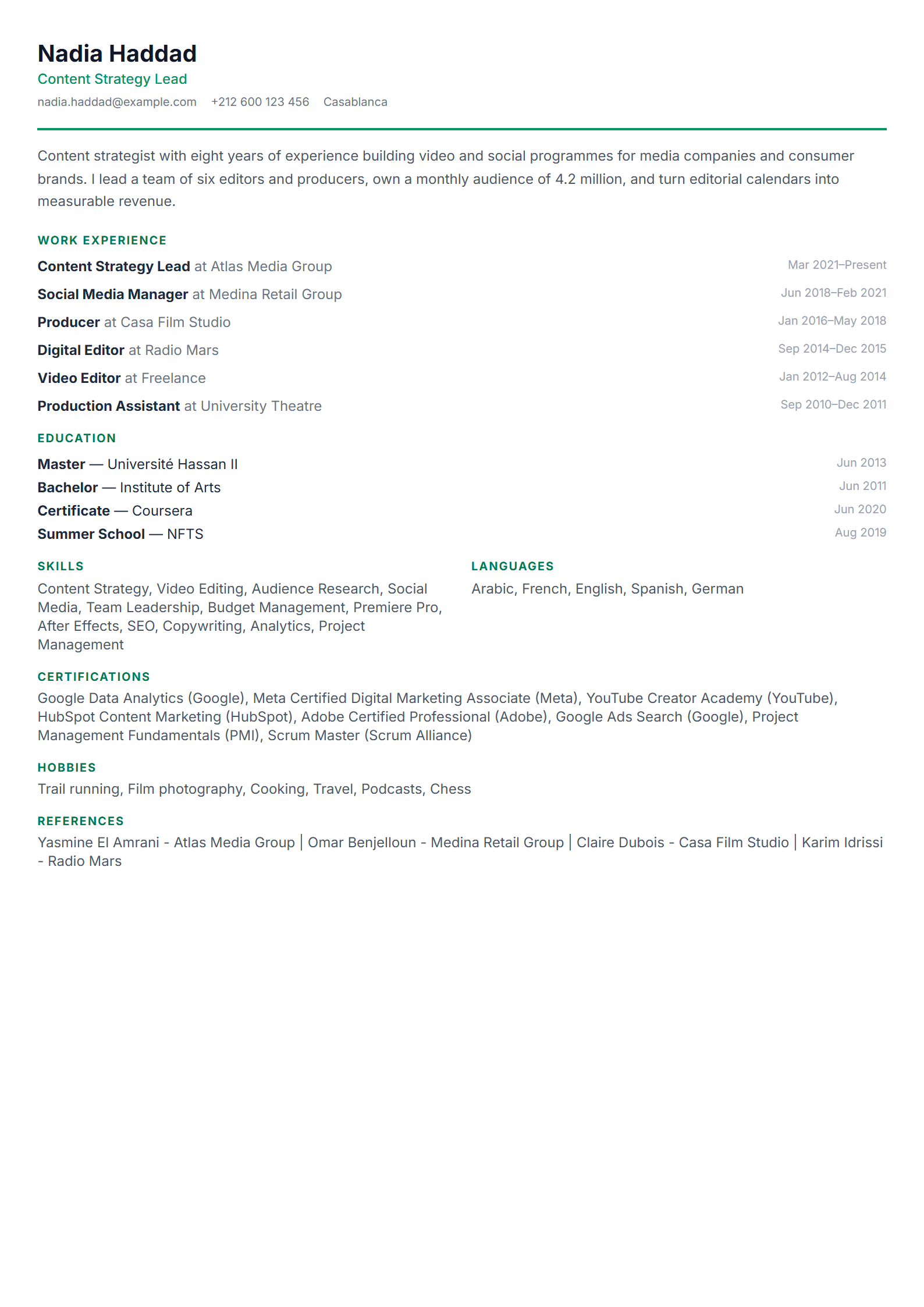
What Is the Short Resume Template?
The Short template from CV Brander is a compact, one-page resume designed to deliver maximum impact with minimum space. Instead of spreading your experience across two or three pages, it forces you to keep only what matters: your strongest achievements, your most relevant skills, and the results that prove your value. Recruiters spend an average of six to eight seconds on a first scan, so a tight, well-organized page often beats a long document that buries the good parts.
Every block is editable inside the CV Brander editor, so you can adjust spacing, reorder sections, and swap colors without breaking the layout. When you are done, export to PDF or Word and send it anywhere.
Who Should Use This Template
The Short template fits anyone whose story can be told in one page, and that is more people than you think:
- Students and recent graduates with limited work history who want a clean, credible first impression.
- Career changers who need to focus attention on transferable skills rather than old job titles.
- Experienced professionals applying to roles where concise communication is itself a signal of competence.
- Freelancers and contractors who send a resume alongside a portfolio and do not want to repeat what the portfolio already shows.
- Anyone applying through an ATS who wants a clean, parseable structure with no wasted space.
If your field expects a full academic CV with publications, use the Academic template instead. If you need to show two languages side by side, the Bilingual template is the better fit.
How to Build Your One-Page Resume Step by Step
- Open the editor. Go to the CV Brander editor and select the Short template. No sign-up is required to start.
- Write your headline. Directly under your name, add a one-line title such as "Digital Marketing Specialist | SEO & Content" so the reader knows your role instantly.
- Add a 2–3 line summary. State your years of experience, your specialty, and one measurable result. Skip generic phrases like "hard-working team player."
- List only relevant experience. Keep the last 5–8 years or your three strongest roles. Use bullet points that start with an action verb and end with a number.
- Trim your skills section. Choose 8–12 skills that match the job posting, and drop everything you would not want to be interviewed about.
- Check the score. Run your draft through the CV Score Checker to catch missing keywords, weak verbs, and formatting issues before you apply.
- Export and send. Download as PDF for direct applications, or as Word when a portal specifically asks for it.
Practical Tips That Make a Short Resume Work
- One page means one column. Multi-column layouts look stylish but confuse older ATS parsers. Keep the reading order simple.
- Cut adjectives, keep numbers. "Managed social media" is weak. "Grew Instagram engagement 42% in six months" is not.
- Use white space as a tool. A crowded page reads as desperate; a clean page reads as confident.
- Mirror the job description. If the posting says "stakeholder management," use that exact phrase somewhere in your bullets.
- Test with an ATS scanner. Before submitting, run the file through the ATS Resume Scanner to confirm the text extracts correctly.
- Keep a long version in reserve. Maintain a master resume with everything, then cut it down for each application.
Common Mistakes to Avoid
The biggest mistake is treating one page as a limit to squeeze into rather than a filter to design with. Do not shrink the font below 10pt, do not remove margins to fit one more bullet, and do not delete your contact information to save space. If something genuinely does not fit, it probably does not belong on this version of your resume. Another common error is forgetting to tailor: the same one-pager sent to ten different jobs will underperform a slightly adjusted version sent to each one.
When you are ready to explore alternatives, browse the full templates library or compare with the Minimal template if you want an even quieter look.
Like this template?
Use this template now — Free100% Free
No registration or watermark
Multi-Format Export
PDF, Word, PNG, JPG
ATS Compatible
Templates specifically designed to pass ATS systems and increase your chances.