ATS Friendly CV Template - Free & Optimized
Build an ATS-friendly CV that passes applicant tracking systems. Free template, clean layout, keyword tips and a score checker. Create yours in minutes.
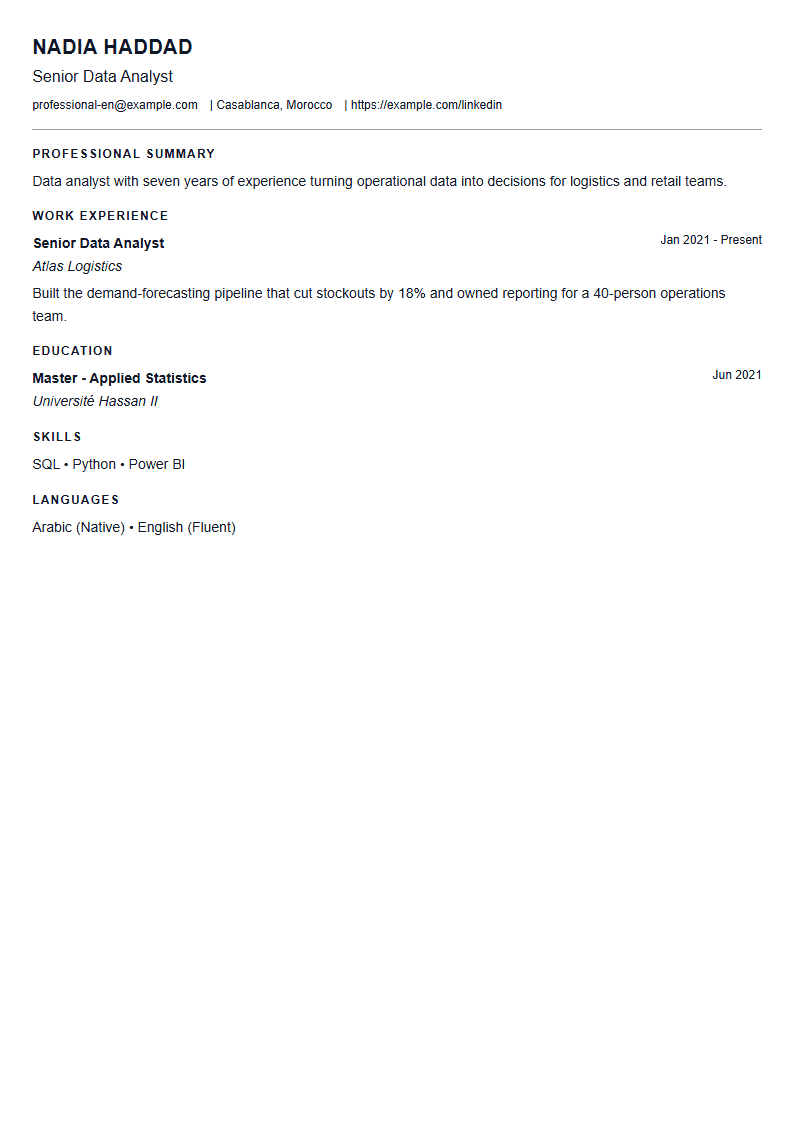
What Is an ATS-Friendly CV Template?
An ATS-friendly CV template is a resume layout designed to be read correctly by Applicant Tracking Systems — the software that most companies use to collect, scan and rank job applications before a human recruiter ever opens them. These systems parse your file, extract your contact details, job titles, dates, skills and education, and then match them against the keywords in the job description. If your layout confuses the parser, your qualifications may never reach a real person. The ATS Friendly template on CV Brander solves that problem by using a single-column structure, standard section headings and clean text that machines understand instantly.
Who Should Use This Template?
This template is the safest choice for almost every job seeker, but it is essential in certain situations:
- Large companies and corporations that receive hundreds of applications per opening and rely on software to filter them.
- Career changers who need their transferable skills to be recognized by keyword matching.
- Fresh graduates applying through online portals and job boards.
- International applicants submitting to companies in other countries where ATS use is standard.
- Anyone applying online rather than through a personal referral or a direct email to a hiring manager.
If you are a designer, illustrator or creative director applying with a portfolio, you can still use a visually rich layout — but keep an ATS version ready for portal submissions. You can compare options in the templates library.
How to Build Your ATS-Friendly CV Step by Step
- Open the editor. Go to the CV editor and select the ATS Friendly template.
- Copy the job title exactly. If the posting says "Digital Marketing Specialist", use that phrase — not "Online Marketing Guru".
- Fill in standard sections. Use headings like Work Experience, Education, Skills and Certifications. Avoid creative labels such as "My Journey".
- Write achievement bullets. Start each line with an action verb and add a number: "Increased organic traffic by 42% in six months".
- Add a targeted skills section. List both the hard skills and the exact tool names mentioned in the ad.
- Check your score. Run your draft through the CV Score Checker to see how well it parses and matches.
- Export and submit. Save as PDF unless the employer explicitly asks for a Word file.
Practical Tips That Make a Real Difference
- Use a common, readable font such as Arial, Calibri or Helvetica at 10–12 pt.
- Never put important information inside headers, footers, text boxes or tables — many parsers skip them.
- Write dates consistently: "March 2021 – Present", not "3/21–now".
- Spell out an acronym once and then use it: "Search Engine Optimization (SEO)".
- Skip photos, graphics and icons in the ATS version; they add no parsing value.
- Name the file professionally: FirstName_LastName_CV.pdf.
- Keep the document to one page for under ten years of experience, two pages maximum otherwise.
Common Mistakes to Avoid
The most frequent error is submitting a heavily designed PDF that looks beautiful but parses as a jumble of disconnected words. Another is keyword stuffing — repeating a term twenty times reads as spam to both software and recruiters. A third is using a two-column layout, which many older systems read straight across, mixing your job titles with your education dates. Finally, do not forget to tailor each application: a generic CV sent to fifty companies rarely beats a focused CV sent to five. If you want a short, punchy version for networking or social media, the Short template is a good companion to your ATS resume.
Final Word
An ATS-friendly CV is not boring — it is strategic. It removes every barrier between your experience and the recruiter who needs to see it. Build yours in minutes with CV Brander, check the score, tailor the keywords, and apply with confidence.
Like this template?
Use this template now — Free100% Free
No registration or watermark
Multi-Format Export
PDF, Word, PNG, JPG
ATS Compatible
Templates specifically designed to pass ATS systems and increase your chances.