Freelancer CV Template for Independent Professionals
Build a standout Freelancer CV that highlights your diverse project experience, clients and results. Free template, ATS-ready, easy to edit and export.
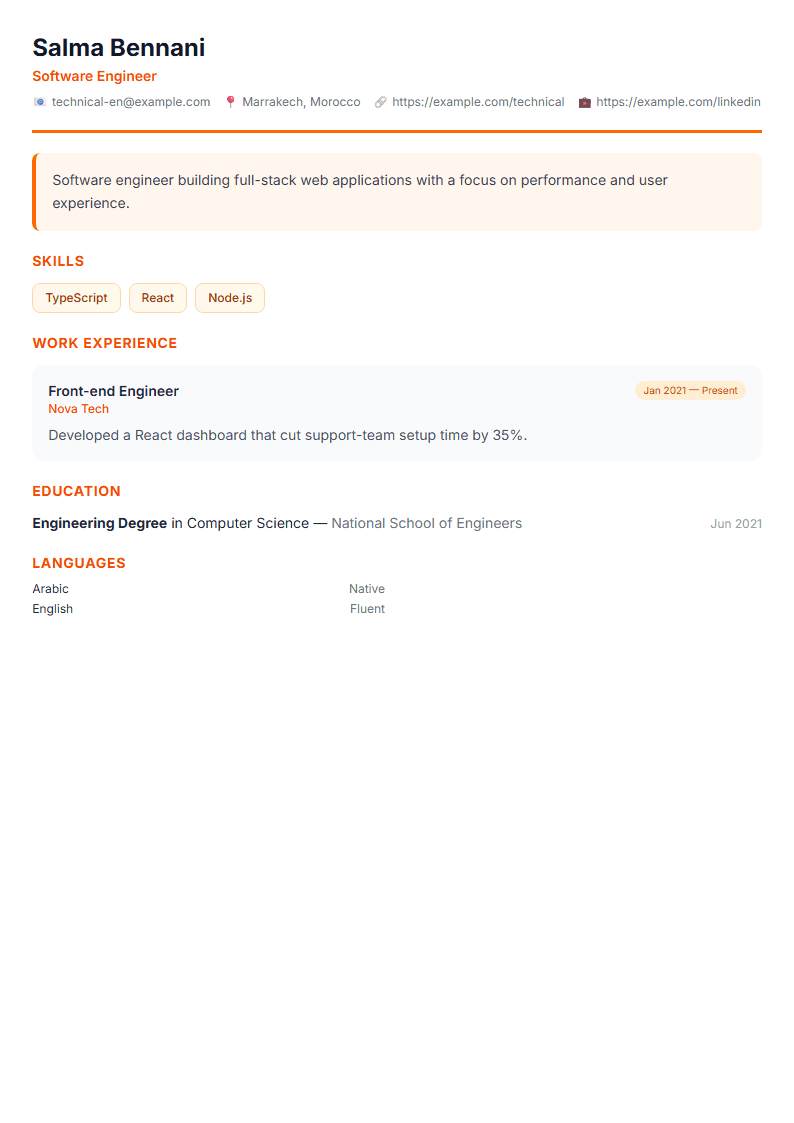
What Is the Freelancer CV Template?
The Freelancer CV template is designed for independent professionals who juggle multiple clients, contracts, and projects instead of a single linear job history. Rather than forcing your career into a traditional employment timeline, this layout organizes your experience around projects and outcomes, so recruiters and clients instantly see the range and depth of your work. It highlights your diverse project experience, your strongest results, and the services you offer.
If you work as a designer, developer, writer, consultant, marketer, translator, or any other independent professional, a standard chronological resume can undersell you. This template solves that problem by giving each engagement the visibility it deserves while keeping the document clean and scannable.
Who Should Use This Template?
This template fits anyone whose income comes from several sources at once. It works especially well for:
- Freelancers with three or more active or recent clients
- Consultants who deliver short-term engagements
- Contractors moving between agencies and direct clients
- Creators and specialists who combine services, products, and retainers
- Professionals returning to freelancing after full-time employment
If your work is mostly one long employment history, a Classic or Executive layout may suit you better. But if your value comes from variety, this is your format.
How to Build Your Freelancer CV Step by Step
- Start with a sharp headline. State what you do and for whom, for example "Freelance UX Designer for SaaS startups."
- Write a 3-4 line summary. Mention years of experience, number of clients served, and one signature achievement.
- Create a "Selected Projects" section. For each project, list the client type, your role, the scope, and a measurable result.
- Group your skills by category. Separate technical tools, soft skills, and domain knowledge so scanning is fast.
- Add a services section. Make it obvious what a client can hire you for right now.
- Include testimonials or references. One or two short quotes from clients add instant credibility.
- Export and test. Run your file through the ATS Resume Scanner before sending it anywhere.
Practical Tips for Freelance Resumes
Lead with results, not duties. "Increased organic traffic by 60% in four months" beats "responsible for SEO." Numbers make scattered project work feel coherent and serious.
Keep it to one or two pages. Clients skim. A tight Short format or a focused one-pager often outperforms a long document. You can also pair this template with our Cover Letter Generator when pitching a specific client.
Use consistent structure. Give every project the same fields: client, period, role, scope, result. Consistency signals professionalism and makes comparison easy.
Tailor per audience. When applying to agencies, emphasize collaboration and reliability. When pitching direct clients, emphasize outcomes and speed.
Keep contact details simple. A professional email, portfolio link, and one social profile are enough.
Common Mistakes to Avoid
- Listing twenty small gigs with no context or results
- Hiding your specialism behind a vague "I do everything" summary
- Using inconsistent date formats across projects
- Forgetting to mention languages, availability, or time zone
- Ignoring keywords that automated screening systems look for
Ready to build yours? Open the CV editor, choose the Freelancer template, and fill in each section. You can also browse the full templates library to compare layouts before committing.
Like this template?
Use this template now — Free100% Free
No registration or watermark
Multi-Format Export
PDF, Word, PNG, JPG
ATS Compatible
Templates specifically designed to pass ATS systems and increase your chances.