Creative CV Template – Stand Out With a Bold Resume
Build a creative CV that stands out with a bold layout, accent colors and project sections. Free online editor, ready in minutes, no sign-up needed.
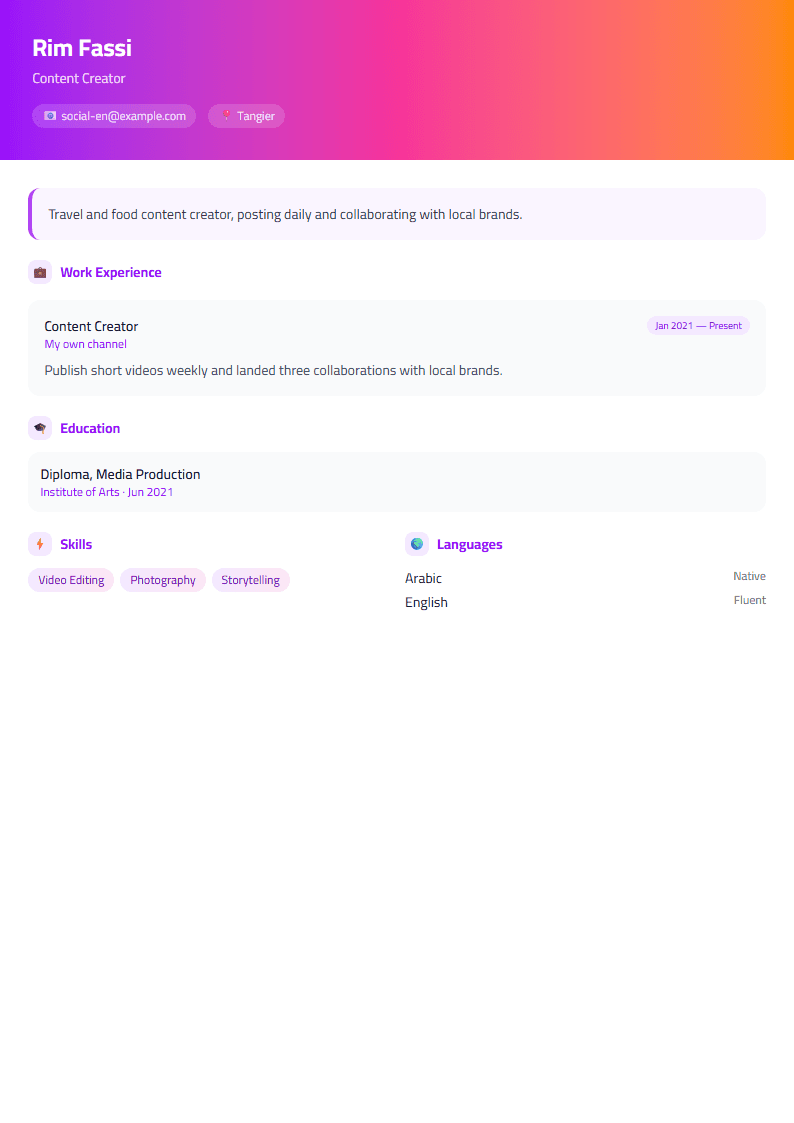
What Is the Creative CV Template?
The Creative template on CV Brander is a bold, personality-driven resume layout built for professionals whose work is visual, imaginative, or client-facing. Instead of the rigid single-column structure you see in most resumes, this design uses expressive typography, a refined accent color, and a modular grid that lets your portfolio, projects, and skills breathe. It is fully editable in the browser, so you can change colors, fonts, and section order without touching a design tool. If you want to see how it compares to a more restrained option, browse the full template library before you commit.
Who Should Use This Template
The Creative template works best for people whose value is partly aesthetic. That includes graphic designers, illustrators, UI/UX designers, photographers, video editors, copywriters, social media managers, brand strategists, and marketing creatives. It also suits architects, interior designers, and event planners who need to show visual judgment. Freelancers who pitch directly to clients benefit from the instant credibility a well-designed page provides — see the Freelancer template if you want a version tuned for project-based work.
If you are applying to a large corporation, a bank, or a government body that screens with software, consider pairing this design with an ATS-safe version. The ATS Friendly template keeps the same content but strips decorative elements so parsers read every line correctly.
What Makes the Layout Different
- Asymmetric header: your name, title, and contact details sit in a weighted block that draws the eye immediately.
- Accent color system: one primary color drives headings, dividers, and skill bars, keeping the page cohesive.
- Project-first sections: a dedicated area for portfolio pieces with short outcome statements instead of long paragraphs.
- Skill visualization: optional bars or tags that communicate proficiency at a glance.
- Generous white space: content stays readable even when you have a lot to say.
- Photo-ready: a placeholder for a professional headshot that fits the grid instead of floating awkwardly.
How to Build Your Creative Resume Step by Step
- Open the editor. Go to the CV editor and select the Creative template.
- Enter your core details. Add your full name, professional title, email, phone, city, and portfolio or Behance link.
- Write a sharp summary. Three lines maximum: what you do, who you do it for, and one measurable result.
- List experience with outcomes. Use the formula: action, project, result. For example, "Redesigned onboarding flow, lifting signup completion by 23%."
- Add a projects section. Include three to five pieces with a one-line description and a link.
- Group your skills. Separate tools (Figma, Adobe Suite) from disciplines (brand identity, motion design).
- Adjust the accent color. Pick something that matches your personal brand but stays professional.
- Check your score. Run the draft through the CV Score Checker to catch missing sections and weak phrasing.
- Export and test. Download the PDF and open it on your phone to confirm the layout holds.
Practical Tips for Standing Out Without Overdoing It
Creativity in a resume should serve clarity, not replace it. Keep body text in a readable size — no smaller than 10pt — and limit yourself to two font families. Use color for emphasis, not decoration. Recruiters spend six to eight seconds on a first scan, so your job title and strongest achievement should be visible without scrolling. Save the elaborate visuals for your portfolio and let the resume do the job of getting you to the interview.
Always tailor keywords to the specific posting. Even a creative role is often filtered by an applicant tracking system before a human sees it, so mirror the language of the job description in your skills and experience lines. Finally, keep the file under 2 MB, name it clearly (Firstname-Lastname-CV.pdf), and never send an editable source file unless it is requested.
Like this template?
Use this template now — Free100% Free
No registration or watermark
Multi-Format Export
PDF, Word, PNG, JPG
ATS Compatible
Templates specifically designed to pass ATS systems and increase your chances.