Facebook CV Template — Free Blue Resume Builder
Build a modern Facebook CV template in minutes. Classic Facebook blue design, ATS-friendly layout, free editor and instant PDF download. No sign-up needed.
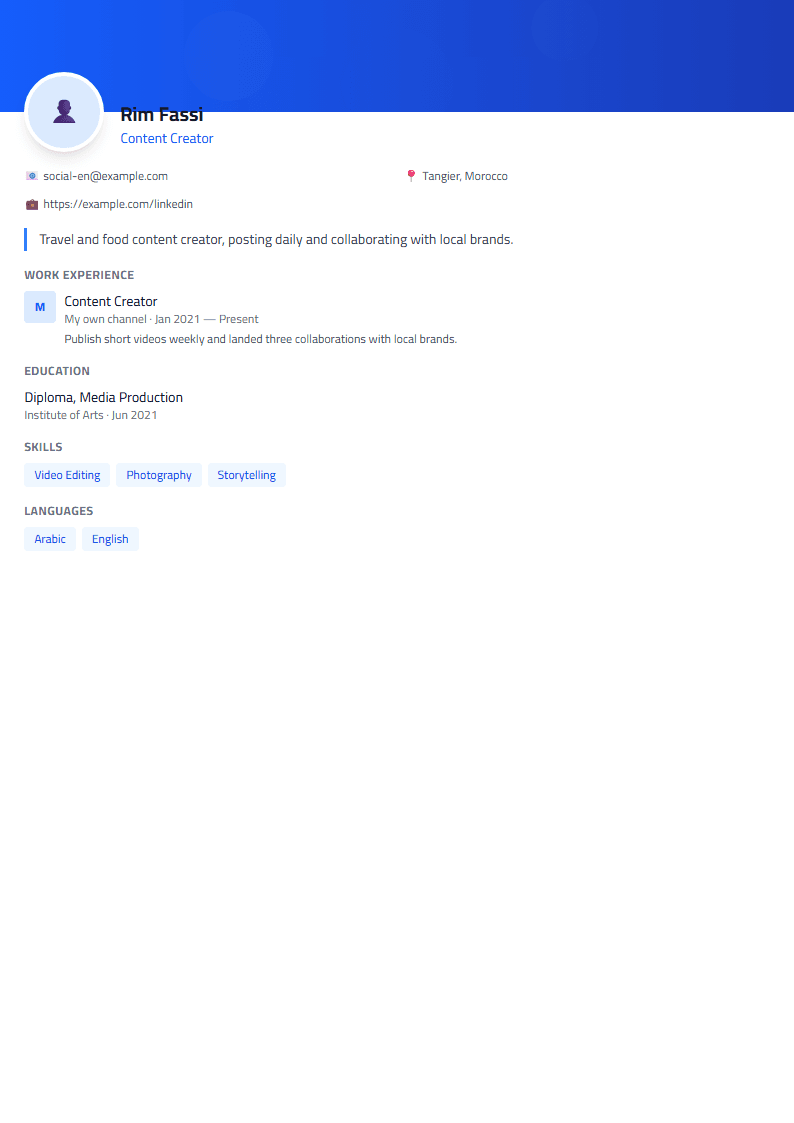
What Is the Facebook CV Template?
The Facebook CV template on CV Brander brings the familiar Facebook blue palette into a clean, recruiter-friendly resume layout. It uses a confident header, a strong accent color drawn from the classic Facebook blue, and structured sections that keep your experience easy to scan. If you want a resume that feels modern and social-media native without sacrificing professionalism, this template is built for you.
Unlike a decorative social bio, this is a real CV template: it follows a logical order (summary, experience, education, skills) and stays readable for both humans and applicant tracking systems. You can pair it with our Facebook Strong template if you prefer bolder typography, or compare it side by side with the Classic template for a more traditional look.
Who Should Use This Template
This template works well for candidates who want a recognizable, friendly visual identity:
- Marketing and social media specialists who manage Facebook pages and ad campaigns.
- Community managers and content creators whose work lives on social platforms.
- Students and recent graduates who want a modern first CV that still looks serious.
- Freelancers and small business owners presenting services in a familiar, approachable style.
- Anyone applying to digital-first companies where a slightly branded CV stands out.
If your target role is strictly corporate or academic, consider the Executive template instead, and keep this one for creative or digital applications.
How to Build Your CV Step by Step
- Open the editor. Go to the CV editor and select the Facebook template from the gallery.
- Fill your header. Add your full name, target job title, email, phone, city, and a link to your portfolio or LinkedIn profile.
- Write a focused summary. Three or four lines describing your role, years of experience, and one measurable result.
- List your experience. Use reverse-chronological order and start each bullet with an action verb followed by a number.
- Add education, skills, and languages. Keep skills grouped by category so recruiters can scan them fast.
- Check the score. Run your draft through the CV Score Checker to catch missing keywords and formatting issues.
- Export and apply. Download the PDF and keep the editable version for future updates.
Practical Tips for Better Results
- Keep the blue as an accent, not a flood. Use it in headings and dividers; keep body text dark and neutral.
- Match keywords to the job post. Mirror the exact terms used in the description, especially tool names.
- Quantify everything. "Grew page engagement by 42% in six months" beats "managed social media."
- Stay to one or two pages. Trim older or irrelevant roles.
- Test readability. The Readability Analyzer helps you keep sentences short and clear.
- Proofread the export. Check that links are clickable and no text is cut off.
Common Mistakes to Avoid
Many candidates overload this template with icons, photos, and colored blocks. That can hurt you with automated screening systems. Keep the structure simple, avoid text inside images, and save as a standard PDF unless the employer asks for another format. If you are applying to large companies, a plain, ATS-friendly layout is often safer.
Ready to start? Open the Facebook template page, pick your sections, and build a CV that looks modern and reads professionally.
Like this template?
Use this template now — Free100% Free
No registration or watermark
Multi-Format Export
PDF, Word, PNG, JPG
ATS Compatible
Templates specifically designed to pass ATS systems and increase your chances.