Luxury CV Template — Premium Elegant Resume Design
Build a premium luxury CV with elegant typography and gold accents. Free template, step-by-step tips and ATS checks to impress recruiters fast.
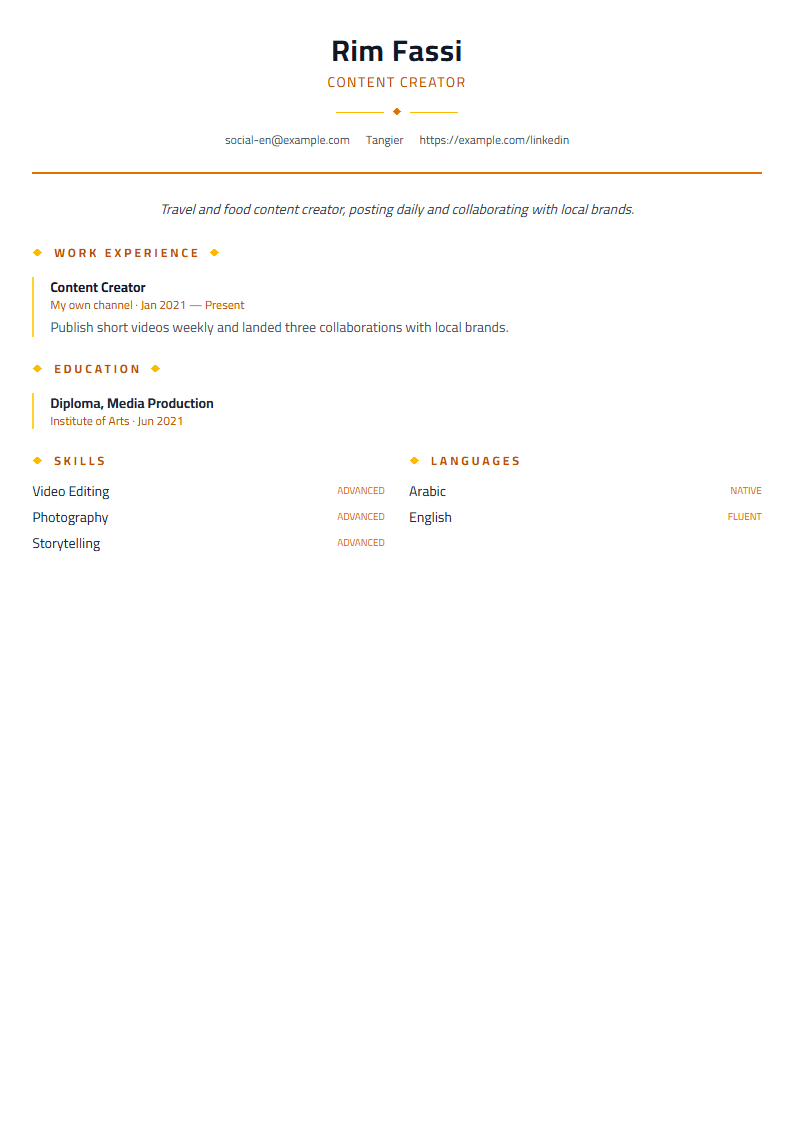
What Is the Luxury CV Template?
The Luxury template is a premium, elegant CV design built for professionals who want their resume to feel as polished as their personal brand. With refined typography, generous white space, and subtle gold-accented section dividers, it turns a standard resume into a document that commands attention in seconds. Whether you are applying to a leadership role, a luxury retail position, or a high-end creative studio, this template signals confidence and attention to detail before a recruiter reads a single word.
Unlike busy designs that compete with your content, the Luxury template stays out of the way. Its hierarchy is deliberate: your name anchors the page, your title sits just beneath it, and each section flows in a clean vertical rhythm. The result is a CV that looks expensive without being loud.
Who Should Use the Luxury Template?
This template works best for candidates whose careers reward presentation. That includes:
- Executives and senior managers in finance, law, and consulting
- Luxury retail, hospitality, and fashion professionals
- Real estate agents and private client advisors
- Creative directors, architects, and brand consultants
- Anyone targeting premium employers who expect a refined first impression
If your industry is casual or highly technical, a cleaner option like the ATS Friendly template may serve you better. But if your role involves clients, taste, or trust, the Luxury template is a strong match.
How to Build Your Luxury CV Step by Step
- Open the editor. Go to the CV editor and select the Luxury template from the gallery.
- Add your header. Use your full name, a concise professional title, and contact details. Keep it to two lines maximum.
- Write a sharp summary. Three sentences: who you are, your strongest result, and what you want next.
- List experience with numbers. Replace duties with outcomes. "Grew regional revenue 32%" beats "responsible for sales."
- Trim to one or two pages. Luxury is about restraint. Cut anything older than 15 years unless it is essential.
- Check your score. Run your draft through the CV Score Checker to catch gaps before you apply.
- Export and send. Download as PDF to preserve the layout, and keep a Word version for portals that require it.
Design Tips for a Premium Look
Elegance depends on consistency. Choose one serif font for headings and one clean sans-serif for body text, then never mix more than two. Keep margins between 1.5 and 2 cm so the page breathes. Use bold sparingly — once per section at most. Align every date to the same right edge so the eye can scan vertically without effort.
Color should whisper, not shout. A single accent tone for section titles is enough; avoid gradients and heavy borders. If you are applying internationally, consider the Bilingual template to present two languages side by side.
Common Mistakes to Avoid
- Filling every inch of the page — white space is part of the design
- Using decorative fonts that fail in applicant tracking systems
- Adding a photo when the target market expects a text-only CV
- Writing paragraphs instead of scannable bullet points
- Forgetting to proofread dates, titles, and company names
A luxury CV is still a functional document. Test it with the ATS Resume Scanner to confirm that your elegant layout still parses correctly. Presentation and readability are not opposites — the best resumes achieve both.
Make It Yours
Start from the Luxury template, then adapt the tone to your field. A private banker should sound measured; a creative director can sound bolder. The layout stays refined either way. Pair it with a matching cover letter using the Cover Letter Generator, and you will present a complete, consistent application that feels intentional from the first click to the final interview.
Like this template?
Use this template now — Free100% Free
No registration or watermark
Multi-Format Export
PDF, Word, PNG, JPG
ATS Compatible
Templates specifically designed to pass ATS systems and increase your chances.