Modern CV Template – Bold, Free & Editable
Build a modern CV with bold headers, clean sections and full color control. Free online editor, ready-made content tips and instant PDF export.
What Is the Modern CV Template?
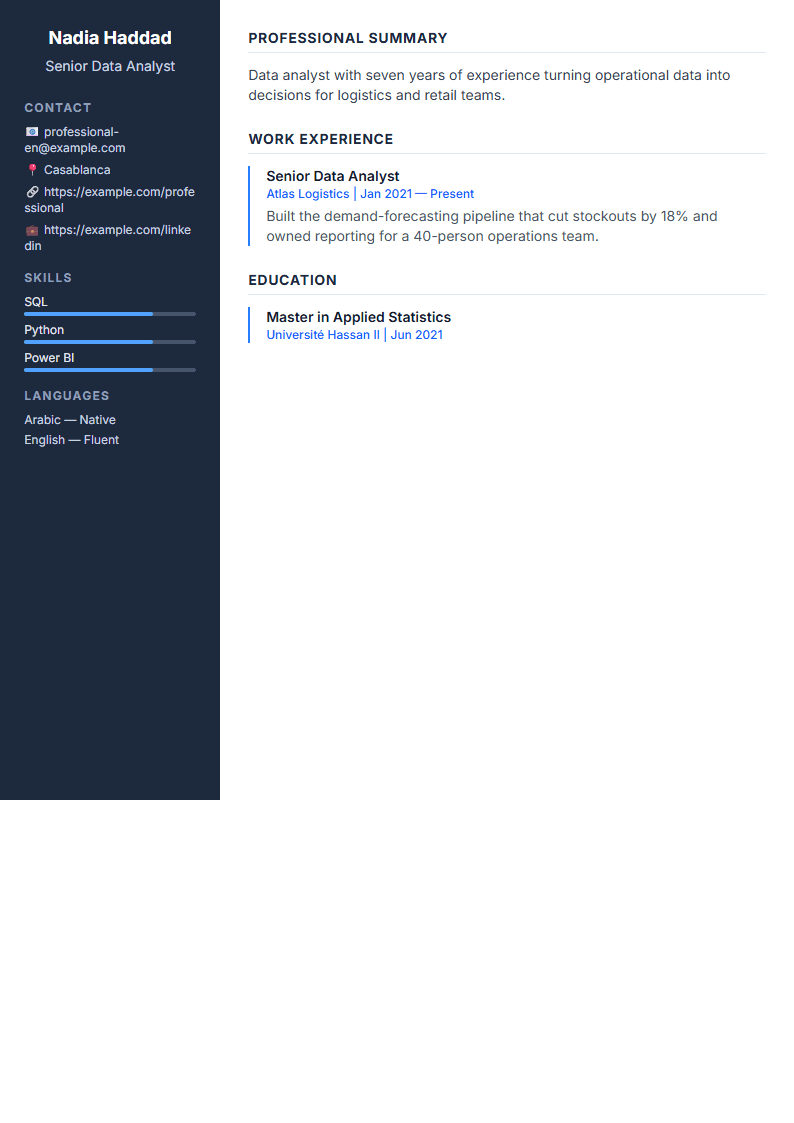
The Modern CV template is a contemporary resume design built around bold section headers, generous white space and a clean typographic hierarchy. Instead of the dense, boxed layout you see in older resumes, this template uses strong headline bars, accent colors and clearly separated sections so a recruiter can scan your experience in seconds. It is one of the most popular layouts on CV Brander because it balances visual personality with professional readability.
Every element is fully editable in the browser: you can change fonts, colors, spacing and section order without touching a design tool. If you want to compare it with other layouts first, browse the full CV templates library.
Who Should Use This Template?
The Modern template works especially well for candidates who want to look current without looking flashy. It suits:
- Mid-level professionals in marketing, product, sales and operations who need a polished one or two-page resume.
- Recent graduates who want a clean structure that highlights education, projects and internships.
- Career changers who need strong section headers to reframe transferable skills.
- Design-adjacent roles where a little visual taste is expected but readability still comes first.
If you are applying to large corporations or through automated screening systems, consider pairing this design with a plain version from the ATS Friendly template, or start from the dedicated ATS CV builder page.
How to Build Your Modern CV Step by Step
- Open the editor. Go to the CV editor and select the Modern layout from the template panel.
- Fill in your header. Add your full name, target job title, city, email, phone and a LinkedIn or portfolio link. Keep it to one or two lines.
- Write a sharp summary. Three sentences: who you are, your strongest measurable achievement, and what role you are targeting.
- Build achievement-driven experience. For each job, list three to five bullets that start with an action verb and end with a number.
- Add a skills block. Split it into technical tools and soft skills so both humans and software can read it quickly.
- Adjust the design. Pick an accent color that matches your industry, keep body text between 10 and 12 points, and make sure headers stay bold but not oversized.
- Check and download. Run the CV Score Checker, fix any flagged issues, then export as PDF.
Design Tips That Make Bold Headers Work
Bold headers are the signature of this template, but they only help if the rest of the page stays calm. Follow these rules:
- Use one accent color only. Two competing colors make a resume look like a flyer.
- Keep the header bar the same height for every section so the eye moves in a straight line.
- Leave at least half a line of space above each header; crowding kills the modern effect.
- Never put body text in bold. Reserve weight for headers and job titles.
- Limit yourself to one page if you have under eight years of experience.
If you prefer a quieter look, the Minimal template keeps the same clean structure with less visual weight.
Common Mistakes to Avoid
The most frequent problem is over-designing: adding icons, photos, charts and skill bars until the page becomes noise. Recruiters spend roughly seven seconds on a first scan, and a modern layout should make that scan faster, not slower. A second common mistake is forgetting keywords. Even a beautiful resume gets filtered out if it does not contain the exact terms from the job posting. Paste the job description into a separate document, highlight the repeated nouns, and make sure the most important ones appear naturally in your summary, skills and experience sections.
Finally, always export to PDF unless the employer explicitly asks for an editable file, and name the file with your full name and the role, for example Sarah-Ahmed-Product-Manager.pdf.
Like this template?
Use this template now — Free100% Free
No registration or watermark
Multi-Format Export
PDF, Word, PNG, JPG
ATS Compatible
Templates specifically designed to pass ATS systems and increase your chances.