Newspaper CV Template — Headline Your Career | CV Brander
Build a bold Newspaper-style CV with headline, columns and pull quotes. Free editor, instant PDF download, no sign-up required. Headline your career today.
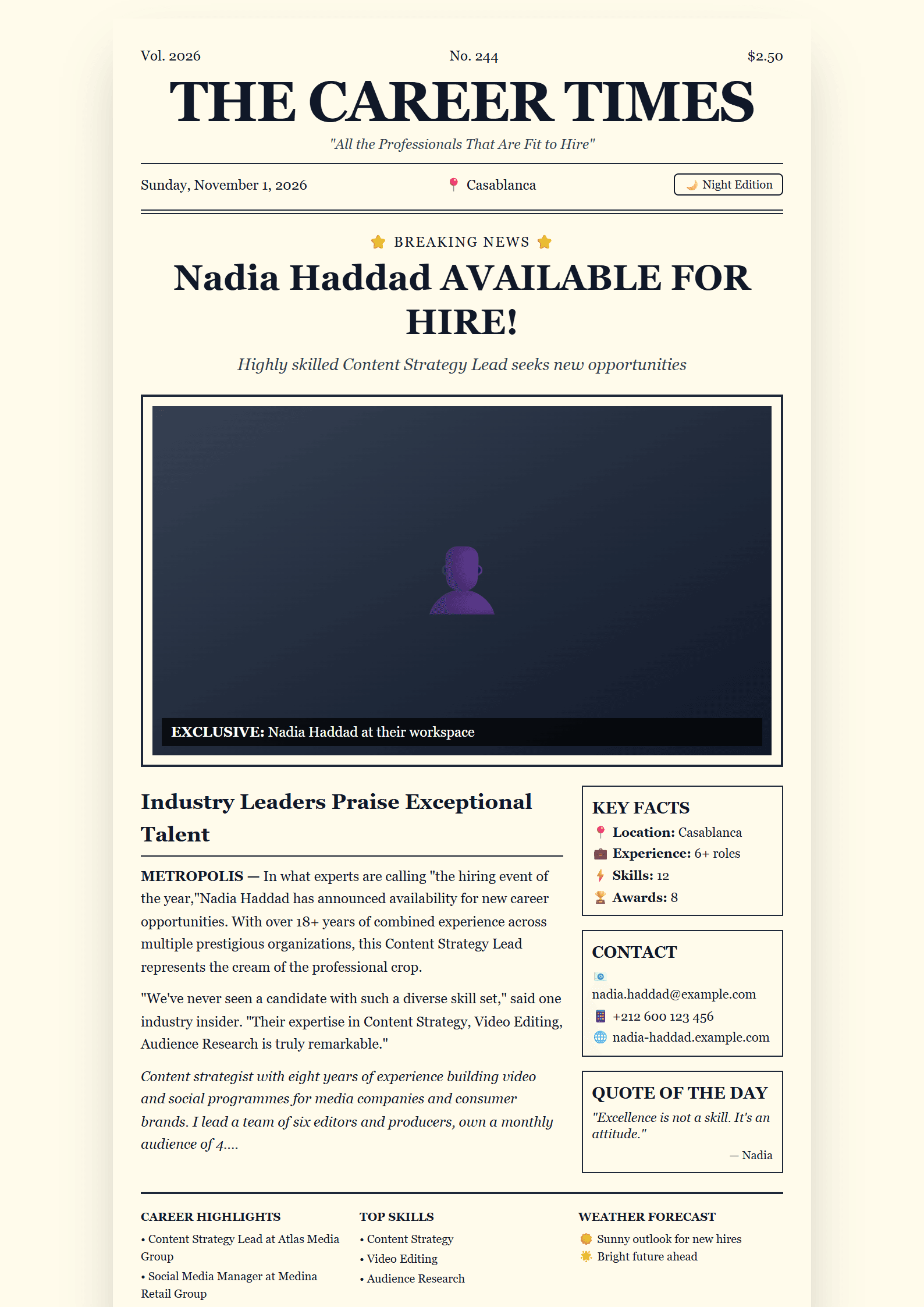
What Is the Newspaper CV Template?
The Newspaper template turns your resume into a front-page story. Instead of the usual flat list of jobs, it borrows the visual language of print journalism: a bold masthead for your name, a headline that states your professional identity, column-style text blocks, and a clear hierarchy that guides the reader's eye from the big story (your profile) to the supporting details (skills, education, achievements). It is built for people who want their application to be remembered in a stack of identical documents.
On CV Brander you can open this layout in the free CV editor, fill in your details, and download a polished PDF in minutes — no design software and no account required.
Who Should Use It
The Newspaper template works best when your career has a narrative worth telling. It suits:
- Marketers and communicators who understand that presentation is part of the message.
- Journalists, editors and content writers whose industry already speaks this visual language.
- Creative professionals — designers, copywriters, art directors — who need a portfolio-style resume.
- Career changers who must explain a transition clearly, headline first.
- Public-facing roles such as PR, media relations, events and community management.
If you are applying to a highly conservative sector, compare this layout with an ATS Friendly template before deciding, or keep both versions ready.
How to Build Your Newspaper CV Step by Step
- Write the headline. Compress your value into one line, for example "Digital Marketing Manager | 8 Years in E-commerce Growth". This replaces the generic "Curriculum Vitae" title.
- Draft the lead paragraph. Treat your profile summary like the opening of a news story: who you are, what you deliver, and one measurable proof point.
- Add the columns. Place experience in the main column and skills, tools, languages and education in the side column so the page stays scannable.
- Insert pull quotes. Use one or two highlighted achievements as visual anchors — a revenue figure, a percentage, an award.
- Check the length. Two pages maximum, or one page if you have under five years of experience.
- Export and test. Download the PDF, open it on a phone, and confirm the columns still read in the right order.
Practical Tips That Make It Work
- Keep body text between 10 and 12 points; newspaper layouts tempt you to shrink fonts, and recruiters will not zoom in.
- Use one accent color only, ideally a deep navy or charcoal, so the design stays professional.
- Write action-first bullets: "Launched", "Negotiated", "Grew" — then attach a number.
- Mirror the vocabulary of the job posting in your headline and skills column; this helps both human readers and keyword scans.
- Run your draft through the CV Score Checker to catch missing sections and weak phrasing before you apply.
- If the role is technical or the company uses automated screening, also submit a plain version built from an ATS Tech Pro template.
Design Details and Customization
Every block is editable: swap the masthead font, change the accent color, reorder sections, or remove the pull quotes entirely for a cleaner look. The layout keeps generous white space around headlines so the page never feels crowded, and section dividers mimic newspaper rules without distracting from your content. If you prefer a quieter aesthetic, the Minimal template offers the same discipline with less styling.
Make a Strong First Impression
A resume is a marketing document, and the Newspaper template gives your career a headline. Pair it with a matching cover letter from the Cover Letter Generator, keep your LinkedIn headline consistent with the one on your CV, and apply only where the story fits. When your experience, your numbers and your design all point in the same direction, recruiters remember you — and that is exactly what this template is built to achieve.
Like this template?
Use this template now — Free100% Free
No registration or watermark
Multi-Format Export
PDF, Word, PNG, JPG
ATS Compatible
Templates specifically designed to pass ATS systems and increase your chances.