Zelda Resume Template — Free Legendary CV Design
Build a legendary resume with the free Zelda CV template on CV Brander. Bold design, recruiter-friendly structure, and instant PDF export.
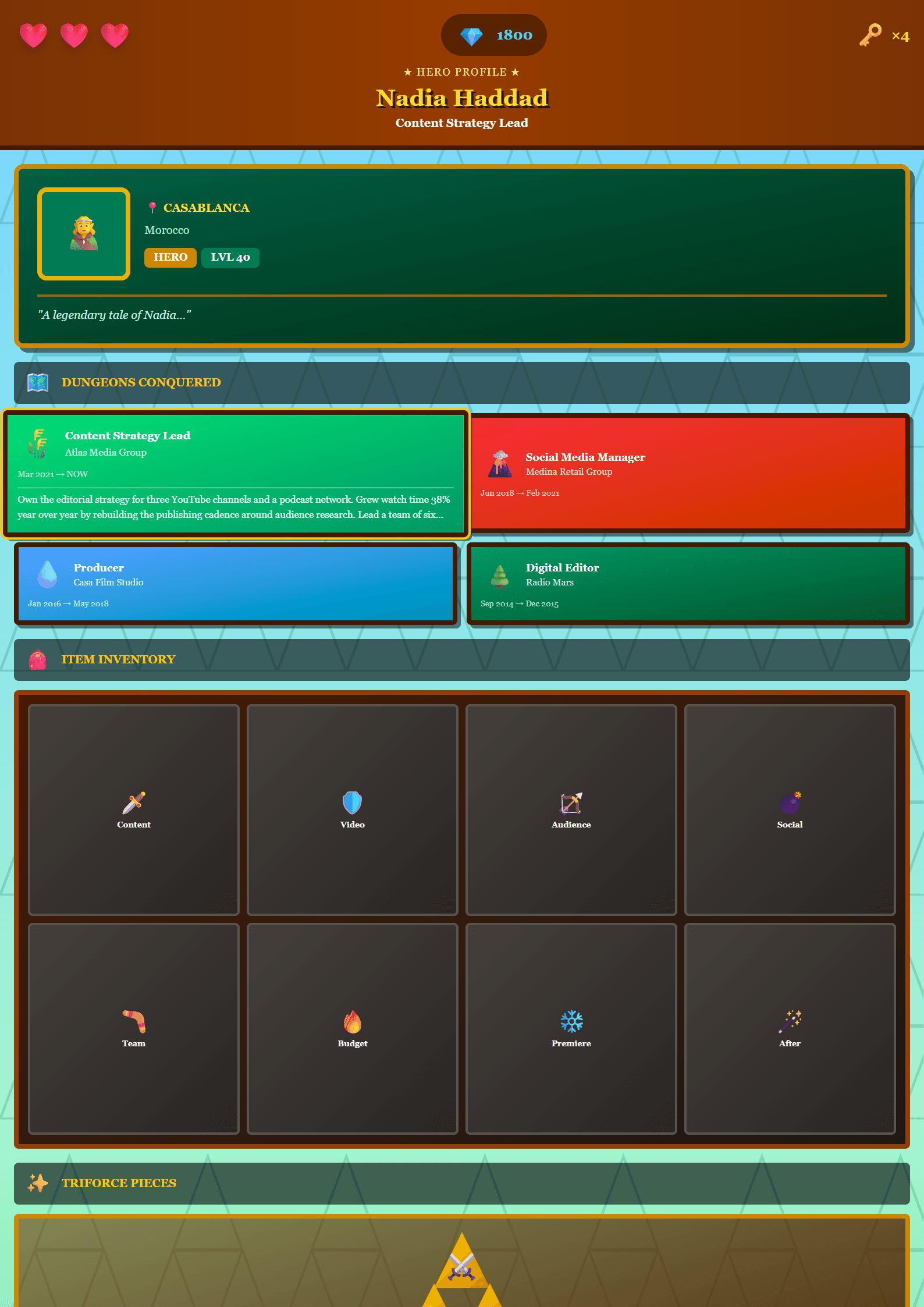
Zelda Resume Template: A Legendary Design for Modern Job Seekers
The Zelda template is a free, legendary resume design built for candidates who want their application to feel as epic as their career ambitions. Inspired by the timeless adventure aesthetic, it balances bold visual identity with clean, recruiter-friendly structure. Whether you are a designer, a developer, a marketer, or a graduate stepping into the professional world, Zelda gives your CV a memorable look without sacrificing readability. You can start from the Zelda template page and edit everything directly in the browser.
Who Is the Zelda Template For?
Zelda works best for people who want personality in their resume but still need to pass automated screening. It is especially popular with:
- Creative professionals who want a distinctive visual signature.
- Gamers and tech enthusiasts applying to studios, esports teams, or gaming startups.
- Students and graduates who need a modern, approachable first CV.
- Freelancers building a personal brand across multiple platforms.
If your target role is in a highly traditional sector, consider pairing Zelda's content structure with a more conservative layout such as the Executive template.
How to Use the Zelda Template Step by Step
- Open the CV editor and select Zelda from the template gallery.
- Fill in your contact details: full name, professional title, email, phone, and a link to your portfolio or LinkedIn.
- Write a three-line professional summary that names your role, your years of experience, and one measurable achievement.
- List your work history in reverse chronological order, using action verbs and numbers.
- Add a skills section with 8-12 keywords pulled directly from the job posting.
- Adjust colors and spacing, then export as PDF and review it on both desktop and mobile.
Design Tips That Make Zelda Shine
The Zelda layout uses strong headers and generous white space. Keep these rules in mind:
- Limit yourself to two fonts: one for headings, one for body text.
- Use color accents sparingly — a single accent color is enough.
- Keep bullet points to one or two lines each.
- Never let decorative elements overlap text.
Before submitting, run your draft through the ATS Resume Scanner to confirm that your formatting is machine-readable.
Common Mistakes to Avoid
Even a beautiful template can be undermined by weak content. Avoid vague summaries like "hardworking team player," unexplained employment gaps, and skill lists that repeat the same idea five times. Always tailor your CV to each application instead of sending one generic version everywhere. If you are unsure which template fits your industry, the Resume Template Recommender can suggest alternatives in seconds.
Final Thoughts
Zelda proves that a resume can be both striking and professional. Use it to tell a clear story about where you have been and where you are going, and let the design carry your confidence. When your content is sharp and your layout is clean, recruiters remember you.
Like this template?
Use this template now — Free100% Free
No registration or watermark
Multi-Format Export
PDF, Word, PNG, JPG
ATS Compatible
Templates specifically designed to pass ATS systems and increase your chances.