Clash of Clans CV Template — Free & Editable
Build a standout CV with the free Clash of Clans template on CV Brander. Editable online, ATS-friendly options and instant PDF download.
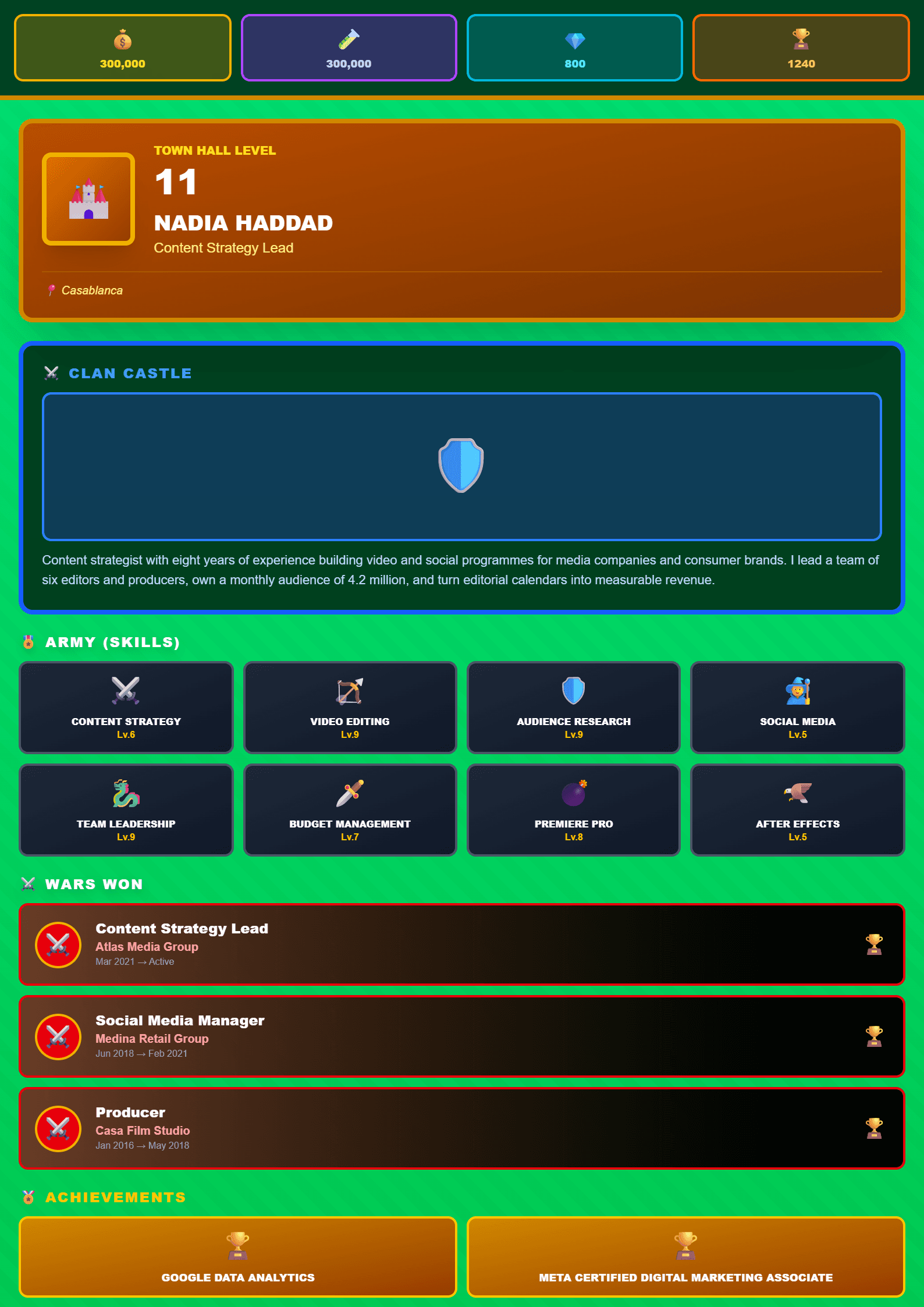
What Is the Clash of Clans CV Template?
The Clash of Clans CV template on CV Brander turns the strategy, resource management and leadership skills of the game into a professional-looking resume. It is a free, online, editable template designed for players, students and young professionals who want a CV that stands out without losing credibility. The design uses bold section headers, a clean layout and subtle game-inspired accents, while the content structure follows standard hiring expectations.
Instead of a boring wall of text, this template helps you present your career empire: your education, projects, skills and achievements. You can build it directly in the CV editor and download it in minutes.
Who Should Use This Template?
This template works best for:
- Students and recent graduates who want a memorable first CV.
- Gamers applying for roles in esports, game testing, community management or streaming.
- Young professionals in tech, marketing or customer support who want to show personality.
- Anyone who wants a creative CV that still passes basic screening.
If you are applying to a very traditional field such as law or banking, consider pairing this design with an ATS-safe version. You can generate one with the ATS Friendly template and keep both files ready.
How to Build Your Clash of Clans CV Step by Step
- Pick the template. Open the Clash of Clans template page and click to start editing.
- Add your header. Write your full name, target job title, city, email, phone and a link to your portfolio or LinkedIn.
- Write a strong summary. In three lines, describe who you are, your main skills and what you want to achieve.
- Fill in experience. List jobs, internships or freelance projects in reverse order. Use numbers: “managed a team of 8”, “increased engagement by 35%”.
- Add education and certifications. Include degrees, online courses and relevant badges.
- List skills. Separate technical skills (tools, software, languages) from soft skills (communication, strategy, teamwork).
- Review and download. Check spelling, then export as PDF or Word.
Need help with wording? The Action Verb Enhancer suggests stronger verbs for every bullet point.
Practical Tips for a Winning CV
- Keep it to one page if you have less than five years of experience.
- Use keywords from the job description so applicant tracking systems can read your CV.
- Translate game achievements into professional language: “clan leader” becomes “team leader”, “war strategy” becomes “project planning”.
- Save a plain version for online forms and a designed version for email applications.
- Run a final check with the CV Score Checker before sending.
Make It Yours
The Clash of Clans template is a starting point, not a cage. Change colors, reorder sections and add your own achievements. If you want a more classic look for a corporate role, try the Modern template or the Minimal template. The goal is simple: a CV that looks great, reads fast and gets you interviews.
Like this template?
Use this template now — Free100% Free
No registration or watermark
Multi-Format Export
PDF, Word, PNG, JPG
ATS Compatible
Templates specifically designed to pass ATS systems and increase your chances.