Discord CV Template — Gamer Resume Builder
Build a Discord-style CV for gaming, esports and community jobs. Free template, editable online, ATS-friendly structure. No signup required.
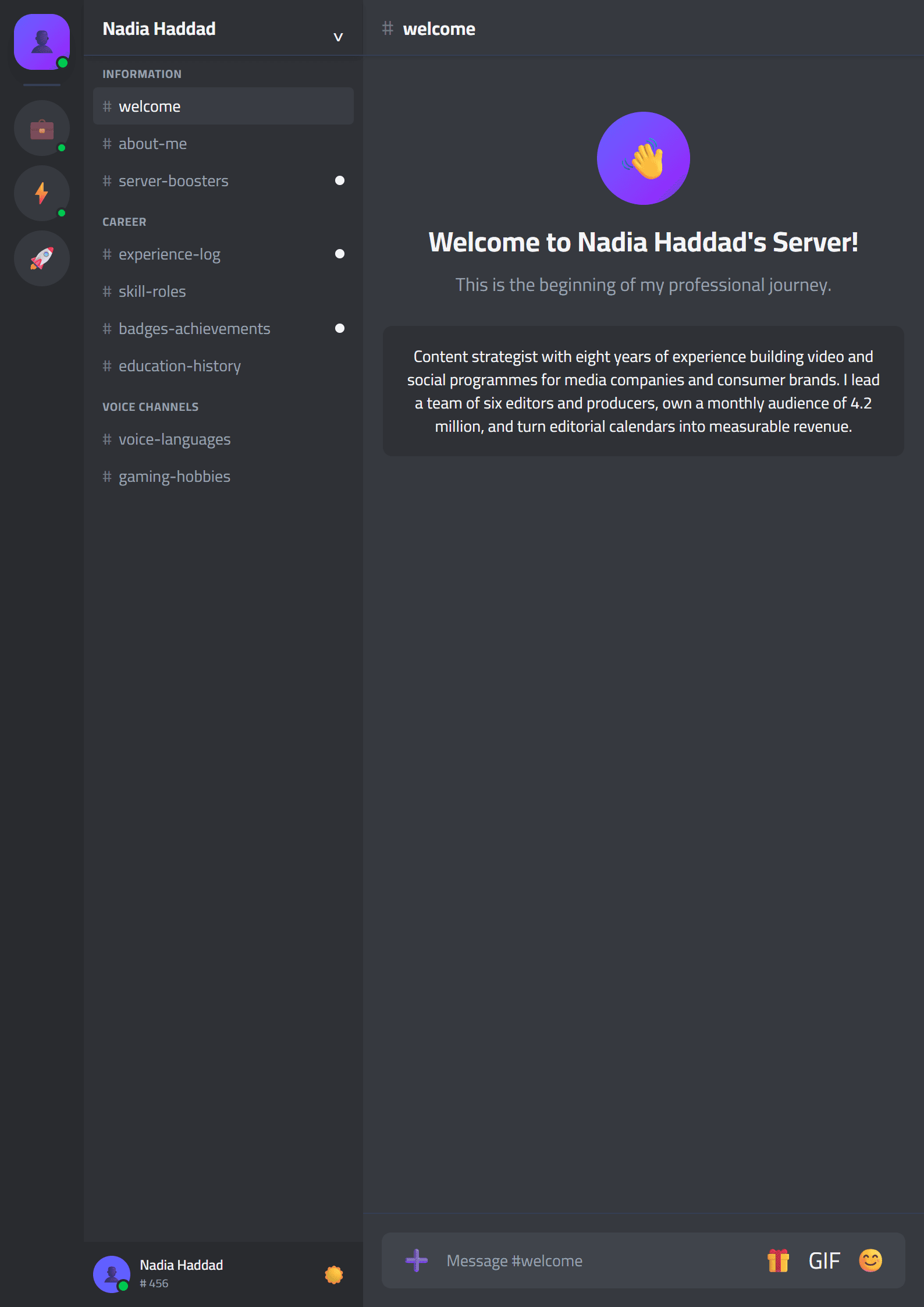
What Is the Discord CV Template?
The Discord CV template on CV Brander is a playful, community-inspired resume layout built for people whose lives revolve around gaming, Discord servers, streaming and online communities. It takes the visual language of a Discord profile — dark panels, rounded cards, role tags and status-style accents — and turns it into a clean, readable document that recruiters can still scan in seconds. If you are applying to a game studio, an esports team, a Discord moderation job, or a community manager role, this template signals instantly that you understand the culture you want to work in.
Unlike a plain text resume, the Discord template keeps your personality visible while still respecting the structure hiring managers expect: contact details, summary, experience, skills and education. You can start from this layout and refine it in the CV editor without any design software.
Who Should Use This Template?
This template works best for candidates in gaming and online community fields, but it is not limited to them. Consider it if you are:
- A Discord community manager or moderator applying to servers, brands or gaming studios.
- An esports player, coach or analyst who needs to present tournaments, ranks and achievements.
- A streamer or content creator looking for sponsorship or partnership deals.
- A game tester, QA assistant or junior developer entering the industry.
- A student or volunteer whose strongest experience comes from running online communities.
If your target job is in a very traditional sector such as banking or law, a Classic or ATS Friendly template will serve you better. The Discord layout is a culture-fit choice, not a universal one.
How to Build Your Discord CV Step by Step
- Open the template. Go to the Discord template page and start editing directly in your browser — no download and no account required.
- Write a gamer-friendly headline. Replace the default title with something precise, such as “Community Manager — 40K-member Discord Server” or “Esports Coach — Valorant & League of Legends”.
- Turn server roles into achievements. Instead of “moderator”, write “Managed a 12,000-member server, reduced toxic reports by 35% and trained 8 junior moderators”.
- Add a skills section with real tools. List Discord bots, moderation dashboards, OBS, Photoshop, Google Sheets, Notion and any analytics tools you actually use.
- Include a projects or events block. Tournaments, charity streams, community game nights and content calendars all count as professional work.
- Check readability and keywords. Run your draft through the Resume Keyword Optimizer so the playful design never hides the terms recruiters search for.
- Export and test. Download the PDF and open it on a phone. Many gaming recruiters first see your CV on mobile.
Practical Tips for a Gaming and Community Resume
A themed template only works when the content underneath is solid. Keep these rules in mind:
- Balance theme and readability. Dark accents are fine, but body text should stay dark on light backgrounds for printing and ATS parsing.
- Use numbers everywhere. Member counts, viewership hours, retention rates, event attendance and revenue raised are far more persuasive than adjectives.
- Translate gamer slang. “Carried the squad” means nothing to HR. “Led a five-person team to a top-16 finish in a 512-team tournament” means everything.
- Keep it to one or two pages. If your experience is thin, use the Short layout principles and cut filler.
- Add links that prove your work. A Twitch channel, YouTube archive or public server portfolio is stronger than a paragraph of claims.
- Respect the ATS layer. Even creative roles often pass through software first, so avoid text inside images and keep section headings standard.
Common Mistakes to Avoid
The biggest mistake is treating the Discord template as a meme resume. Recruiters in gaming are still recruiters: they want evidence, clarity and professionalism. Avoid nicknames as your main name, avoid emoji-only skill lists, and never replace job titles with inside jokes. A second common error is copying a template without adapting the structure — if your strongest asset is a portfolio, move it above your education. Finally, always proofread. A single spelling error in a community manager CV undermines the exact skill you are selling: communication.
Make It Yours and Apply
The Discord template is a starting point, not a finished product. Adjust the colors, rewrite every bullet in your own voice, and make sure the document reflects the communities you have actually built. When you are ready, generate a matching cover letter with the Cover Letter Generator and send your application with confidence. Your server experience is real experience — this template simply makes it visible.
Like this template?
Use this template now — Free100% Free
No registration or watermark
Multi-Format Export
PDF, Word, PNG, JPG
ATS Compatible
Templates specifically designed to pass ATS systems and increase your chances.