Google Search Resume Template – Free & ATS Ready
Build a free Google Search style resume with CV Brander. Clean search-result layout, keyword-friendly, ATS ready and easy to export as PDF in minutes.
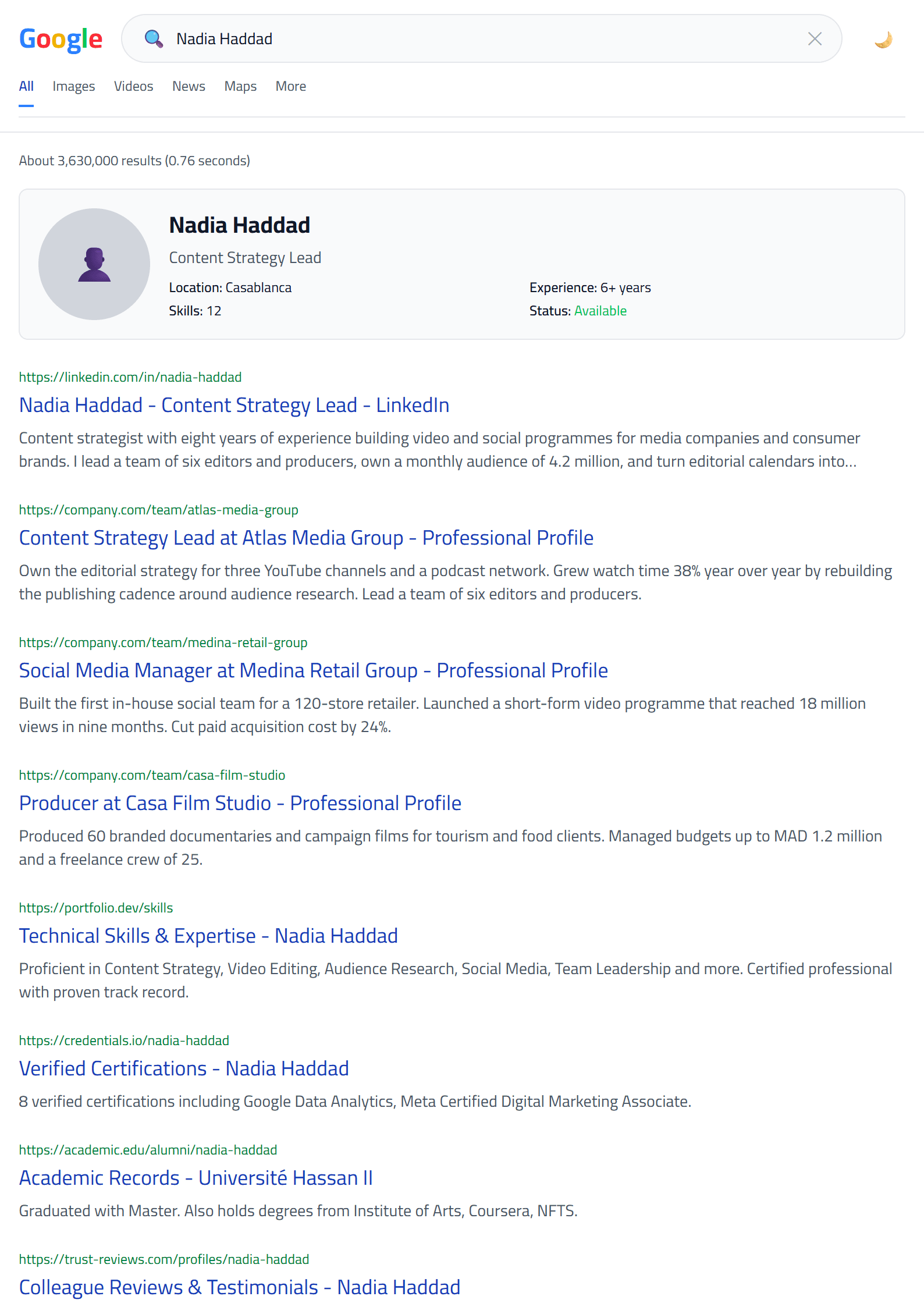
What Is the Google Search Resume Template?
The Google Search template from CV Brander turns your resume into a clean, familiar search-result layout. Instead of a decorative sidebar or a two-column grid, it borrows the visual language of a search engine results page: a bold title, a short URL-style line, and a scannable snippet of text. Recruiters who spend hours screening candidates instantly recognize this pattern, which makes your application feel organized and easy to read.
It is a free, browser-based template. You fill in your details, and the layout updates live so you can see exactly how your experience will look before you download.
Who Should Use This Template
The search-result format works especially well for people whose value is proven by keywords and measurable results rather than by visual flair. It suits:
- Digital marketers and SEO specialists who want a resume that mirrors the medium they work in.
- Developers and data analysts whose skills are best listed as clear, searchable terms.
- Content writers and journalists who need a text-first, highly readable document.
- Career changers who want a neutral, modern look without distracting graphics.
- Anyone applying through an online portal where a plain, structured resume performs best.
If you prefer a more traditional layout, compare this template with the Classic or the Modern option before you commit.
How to Build Your Google Search Resume Step by Step
- Open the editor. Go to the CV editor and select the Google Search template from the gallery.
- Write a headline that reads like a title tag. Keep it under 60 characters, for example: "Digital Marketing Specialist | SEO & Content Strategy".
- Add a snippet-style summary. Two or three lines that summarize your experience, your strongest skill, and one measurable achievement.
- Turn each job into a result block. Start every bullet with an action verb and finish with a number: "Increased organic traffic by 42% in six months".
- List skills as keywords. Separate them with commas so they are easy to scan and easy for software to parse.
- Check and export. Run the CV Score Checker, fix any warnings, then download your PDF.
Practical Tips That Make This Layout Work
The strength of a search-result design is clarity, so protect it. Avoid long paragraphs; recruiters read this format in short bursts. Keep your font size consistent and never use more than two typefaces. Put your most relevant keywords in the top third of the page, because that is where the eye lands first.
Be careful with acronyms. Spell out a term once and then use the short form, so both human readers and automated systems recognize it. If you are applying to large companies, test your file with the ATS Resume Scanner to confirm the layout survives parsing.
Finally, keep the page to one or two screens. A search result is short by nature, and your resume should be too.
Common Mistakes to Avoid
- Filling the header with a job objective instead of a clear professional title.
- Listing duties rather than achievements.
- Using images, icons or text boxes that break the plain-text structure.
- Forgetting to tailor keywords to each job description.
- Submitting a file named "resume-final-v3.pdf" instead of your full name.
When you are ready, browse the full templates collection to see how this design compares with other free options, or start directly with the Google Search template page.
Like this template?
Use this template now — Free100% Free
No registration or watermark
Multi-Format Export
PDF, Word, PNG, JPG
ATS Compatible
Templates specifically designed to pass ATS systems and increase your chances.