Minecraft Resume Template - Free Blocky CV Builder
Create a blocky Minecraft themed resume free on CV Brander. Editable sections, ATS-friendly export and gaming-ready design for creative and tech jobs.
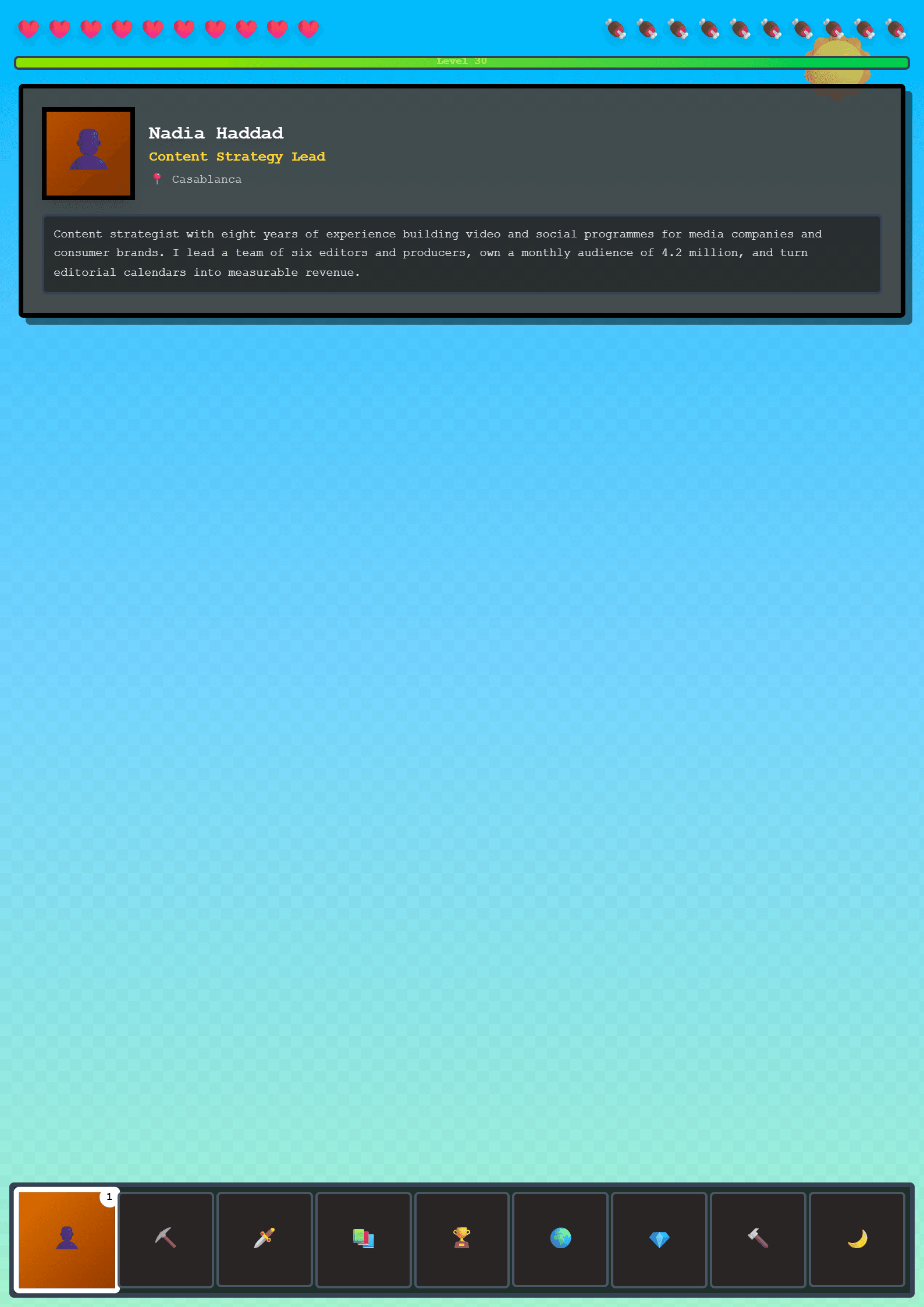
A Blocky Minecraft Themed Resume Template
The Minecraft template on CV Brander turns your professional story into a pixel-perfect, blocky design inspired by the world's most recognizable sandbox game. It is a fully editable CV layout that keeps hiring managers focused on your skills while giving your application a playful personality. Every section — from the header to the skills grid — is built with clean typography and a structured, game-like aesthetic, so it works for real jobs, not just fan pages.
Unlike static downloads, this template lives inside the CV editor, which means you can type, rearrange and export in minutes. If you want a more traditional look, you can also compare it with the Classic or Modern templates and switch at any time.
Who Is This Template For?
The Minecraft CV is ideal for applicants who want to stand out without breaking professional rules. It suits:
- Junior developers, game testers and QA interns applying to gaming studios.
- Streamers, content creators and community managers who build audiences around gaming.
- Students and graduates who need a first CV with personality.
- Esports coordinators, Discord moderators and volunteer organizers.
- Anyone applying to creative, tech or youth-focused companies where culture fit matters.
If your target employer is a conservative law firm or bank, a safer choice such as the ATS Friendly template will serve you better. For gaming, media and startup roles, the Minecraft design signals creativity and genuine passion.
How to Use the Minecraft Template Step by Step
- Open the Minecraft template and click “Use this template”.
- Fill in your header: full name, target job title, email, phone, city and portfolio or GitHub link.
- Write a 3-line professional summary that mentions your role, your strongest skill and one measurable result.
- Add work experience, internships or freelance projects in reverse-chronological order.
- List hard skills (JavaScript, Unity, video editing) and soft skills (teamwork, communication) separately.
- Add education, certifications and languages.
- Run the ATS Resume Scanner to catch formatting problems before you apply.
- Export as PDF, then as Word if the employer requests an editable file.
Practical Tips for a Strong Minecraft CV
- Keep the theme subtle. Use the blocky layout and colors, but write plain, professional language.
- Quantify achievements. “Grew a Discord server from 0 to 4,200 members in eight months” beats “managed a community”.
- Match keywords. Mirror the exact job title and tools from the job post; use the Resume Keyword Optimizer to find gaps.
- Limit it to one or two pages. Recruiters skim; white space helps.
- Proofread names. Misspelling a studio or a tool is an instant red flag.
- Add links. A Twitch channel, GitHub repo or portfolio proves your claims faster than words.
Common Mistakes to Avoid
The biggest mistake is letting the theme overpower the content. Do not fill the CV with game references, inside jokes or emoji. Keep the Minecraft identity in the design, colors and small accents, and let your achievements carry the message. Avoid generic phrases such as “hard-working team player” and replace them with evidence. Also avoid image-only PDFs, because many companies use automated screening that cannot read pictures.
Finally, always tailor the CV to each application. Changing three or four lines to match the job description takes five minutes and dramatically improves your callback rate.
Like this template?
Use this template now — Free100% Free
No registration or watermark
Multi-Format Export
PDF, Word, PNG, JPG
ATS Compatible
Templates specifically designed to pass ATS systems and increase your chances.