Snapchat Resume Template — Free & Fun CV Builder
Build a fun Snapchat style resume for free. Social-media inspired layout, easy editor, ATS tips and instant PDF download — no sign-up required.
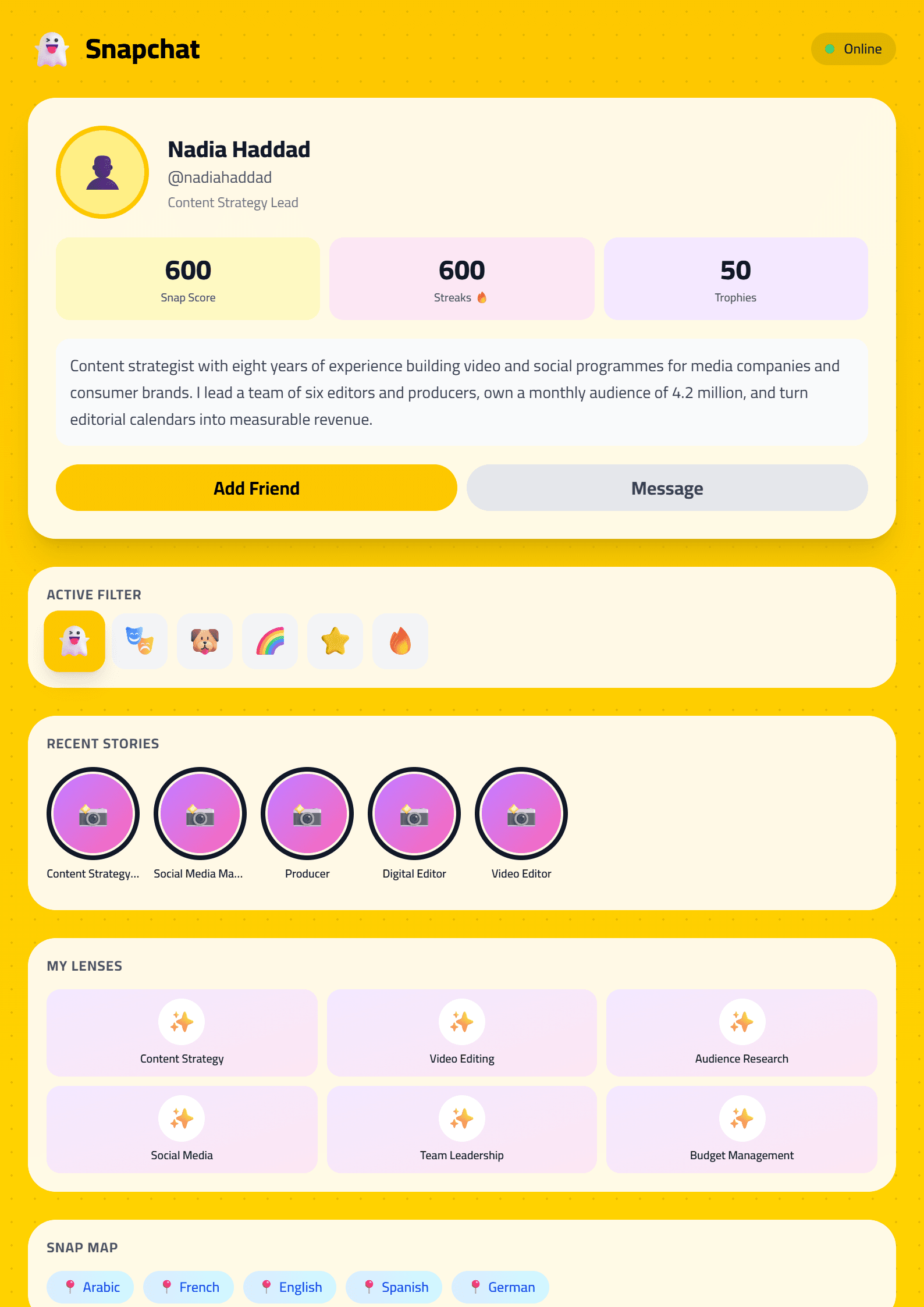
What Is the Snapchat Resume Template?
The Snapchat resume template on CV Brander is a playful, social-media-inspired CV design built for people who want their personality to show before the first interview. It borrows the visual language of the Snapchat app — bold colors, rounded cards, ghost-style accents and short punchy text blocks — and turns it into a clean, readable one-page document. Instead of a wall of dense paragraphs, it presents your experience as scannable highlights, which is exactly how recruiters read a CV in the first ten seconds.
It is a free online template: you pick it, fill in the sections, and download a polished PDF. No design software, no registration walls, no hidden fees.
Who Should Use This Template
The Snapchat style works best when your audience expects creativity rather than formality. It fits:
- Students and recent graduates applying for internships, part-time jobs or first roles.
- Social media managers, content creators, community managers and influencers whose work is literally about engagement and visual storytelling.
- Retail, hospitality, customer service and sales candidates who need to show energy and people skills.
- Freelancers and side-hustlers in marketing, design, photography and video.
If you are applying to a bank, a law firm or a large enterprise with a strict screening process, use a conservative layout instead — for example the ATS Friendly template — and keep this one for creative roles or your personal portfolio.
How to Build Your Snapchat CV Step by Step
- Open the editor. Go to the CV editor and select the Snapchat template from the gallery.
- Write a hook headline. Replace “Curriculum Vitae” with a one-line positioning statement: “Social Media Manager — 3 years growing lifestyle brands”.
- Add a short profile. Three lines maximum. Say what you do, who you do it for, and one measurable result.
- Turn duties into wins. Use the Action Verb Enhancer to start each bullet with a strong verb and finish with a number.
- List skills as tags. Short keyword chips (Canva, Reels, TikTok Ads, Copywriting) read faster than a paragraph.
- Check the score. Run the draft through the CV Score Checker before you export.
- Download and test. Save as PDF and open it on your phone — most recruiters will see it there first.
Design Tips That Keep It Professional
A fun template still has to pass the six-second scan. Follow these rules:
- Limit yourself to two colors plus black text. Too many accent colors look like a poster, not a CV.
- Keep body text at 10–11 pt and headings at 14–16 pt so the design never eats readability.
- One page for under five years of experience, two pages maximum after that.
- Use white space generously. The Snapchat look depends on breathing room, not decoration.
- Skip the selfie. If you do include a photo, make it a neutral headshot — see CV with photo for guidance.
- Proofread out loud. A creative layout makes typos more visible, not less.
Common Mistakes to Avoid
The biggest one is letting style replace substance. Recruiters forgive a bold layout; they do not forgive missing metrics, vague phrases like “hard worker”, or a skills list that has nothing to do with the job ad. Mirror the exact keywords from the posting, keep your contact details in plain text at the top, and never bury your most relevant achievement below the fold.
If you are unsure whether this design matches your target role, compare it side by side with the Modern template or the Creative template and pick the one that matches the tone of the company you are writing to.
Final Thoughts
The Snapchat template is a smart choice when your personal brand matters as much as your job history. It is free, fast to fill in, and designed to be read on a phone screen. Build it once, tailor the headline and skills for each application, and you have a CV that gets remembered for the right reasons.
Like this template?
Use this template now — Free100% Free
No registration or watermark
Multi-Format Export
PDF, Word, PNG, JPG
ATS Compatible
Templates specifically designed to pass ATS systems and increase your chances.