Tinder Resume Template – Free Swipe-Style CV Builder
Build a swipe-worthy resume with the free Tinder CV template. Modern card layout, easy editing and instant PDF download. No sign-up required.
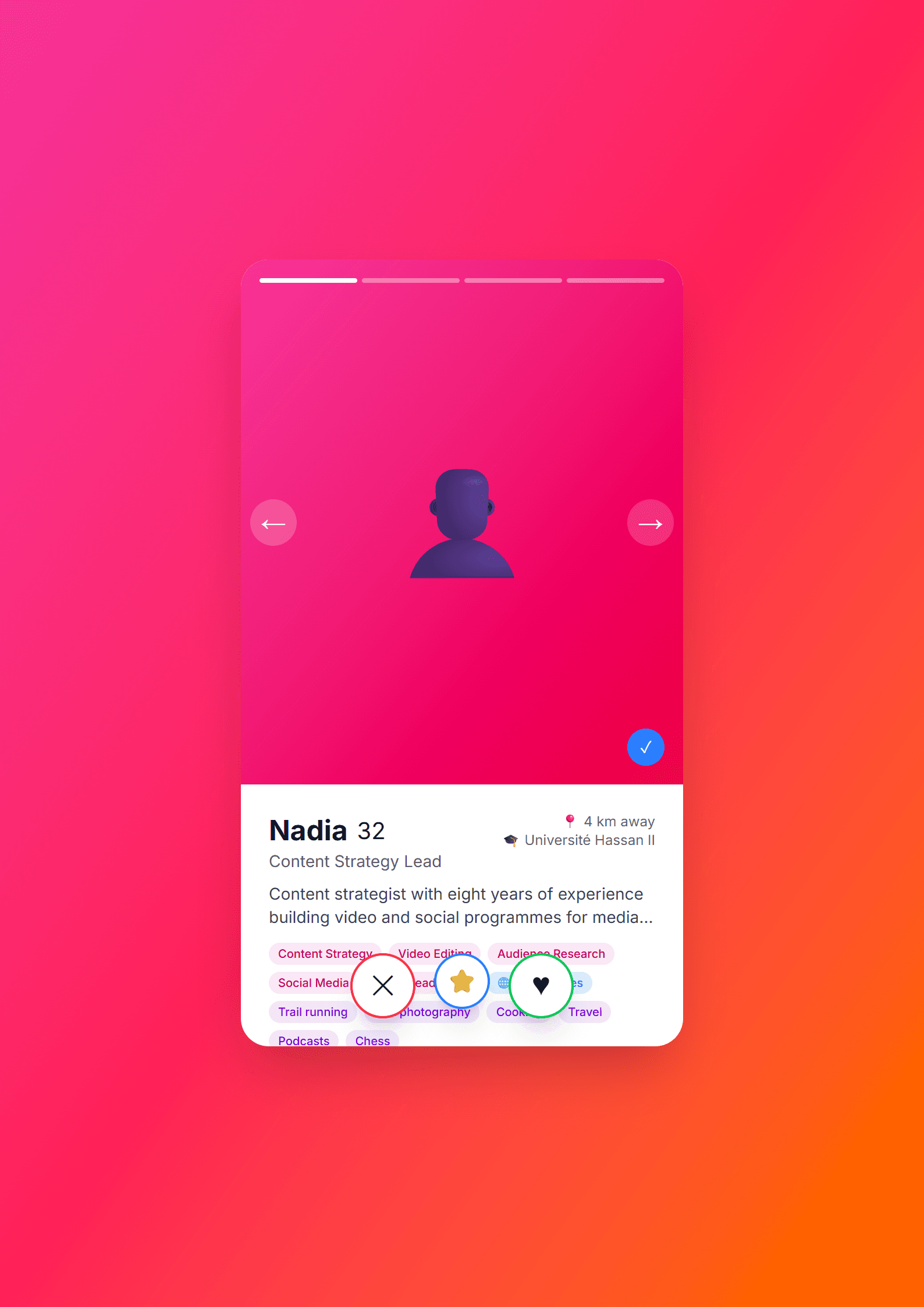
A Resume That Gets the Right Swipe
The Tinder template on CV Brander turns the familiar swipe-card aesthetic into a clean, modern CV layout. Instead of a wall of text, your experience, skills and education appear as bold, scannable cards — exactly the way a recruiter's eye moves across a screen in the first seven seconds. It is a playful concept, but the underlying structure is serious: clear headings, strong hierarchy and room for real achievements.
If you are applying for roles in marketing, social media, product, design, hospitality, sales or any customer-facing job, standing out matters. This template gives you personality without sacrificing readability. You can build it free in the CV editor and download it in minutes.
Who Is This Template For?
The Tinder template suits candidates who want a modern, confident first impression. It works especially well for:
- Social media and community managers who understand visual communication.
- Junior and mid-level professionals applying to startups, agencies or creative studios.
- Sales and customer success candidates who need a memorable, people-first CV.
- Career changers who want to signal adaptability and a fresh approach.
- Freelancers presenting a portfolio-style profile to new clients.
If you are applying to a large corporation that screens with strict software, pair this design with the ATS Friendly template or check your file first with the ATS Resume Scanner.
How to Build Your CV Step by Step
- Open the template. Go to the Tinder template page and click to start editing.
- Write a swipe-worthy headline. Replace "Name" with your name plus a short positioning line, for example "Social Media Manager | 3 Years in Retail Branding".
- Fill the profile card. Use two or three lines: who you are, what you do best, and the result you deliver.
- Add experience as cards. One card per role. Lead each bullet with an action verb and end with a number.
- List skills that match the job ad. Mirror the exact wording of the posting where it is honest to do so.
- Proofread and export. Check spelling, then download as PDF and keep an editable copy.
Practical Tips to Make It Work
A stylish template only performs if the content is sharp. Keep these rules in mind:
- One page for under five years of experience. Recruiters skim; density kills attention.
- Quantify everything you can. "Grew Instagram from 2K to 18K followers in eight months" beats "managed social media".
- Use the photo slot wisely. A clear, neutral background headshot works; a party picture does not.
- Match the tone to the company. A playful card layout fits a startup, not a law firm.
- Keep the font consistent. Two font sizes and one accent color are enough.
Not sure your wording is strong enough? Run your draft through the Action Verb Enhancer and the CV Score Checker before you apply.
Why the Swipe-Card Style Works
Recruiters process hundreds of applications. A CV that looks like something they already recognize creates instant familiarity, and familiarity buys you a few extra seconds of attention. The card format also forces you to be concise: each block must earn its place. That discipline is exactly what makes a resume effective, whatever the visual theme.
If you want a different mood, browse the full templates library — from the Modern template to the Creative template — and pick the one that matches the job you actually want.
Like this template?
Use this template now — Free100% Free
No registration or watermark
Multi-Format Export
PDF, Word, PNG, JPG
ATS Compatible
Templates specifically designed to pass ATS systems and increase your chances.