YouTube Channel Resume Template for Creators
Build a YouTube Channel resume that highlights subscribers, views and brand deals. Free creator CV template, easy to edit and download in minutes.
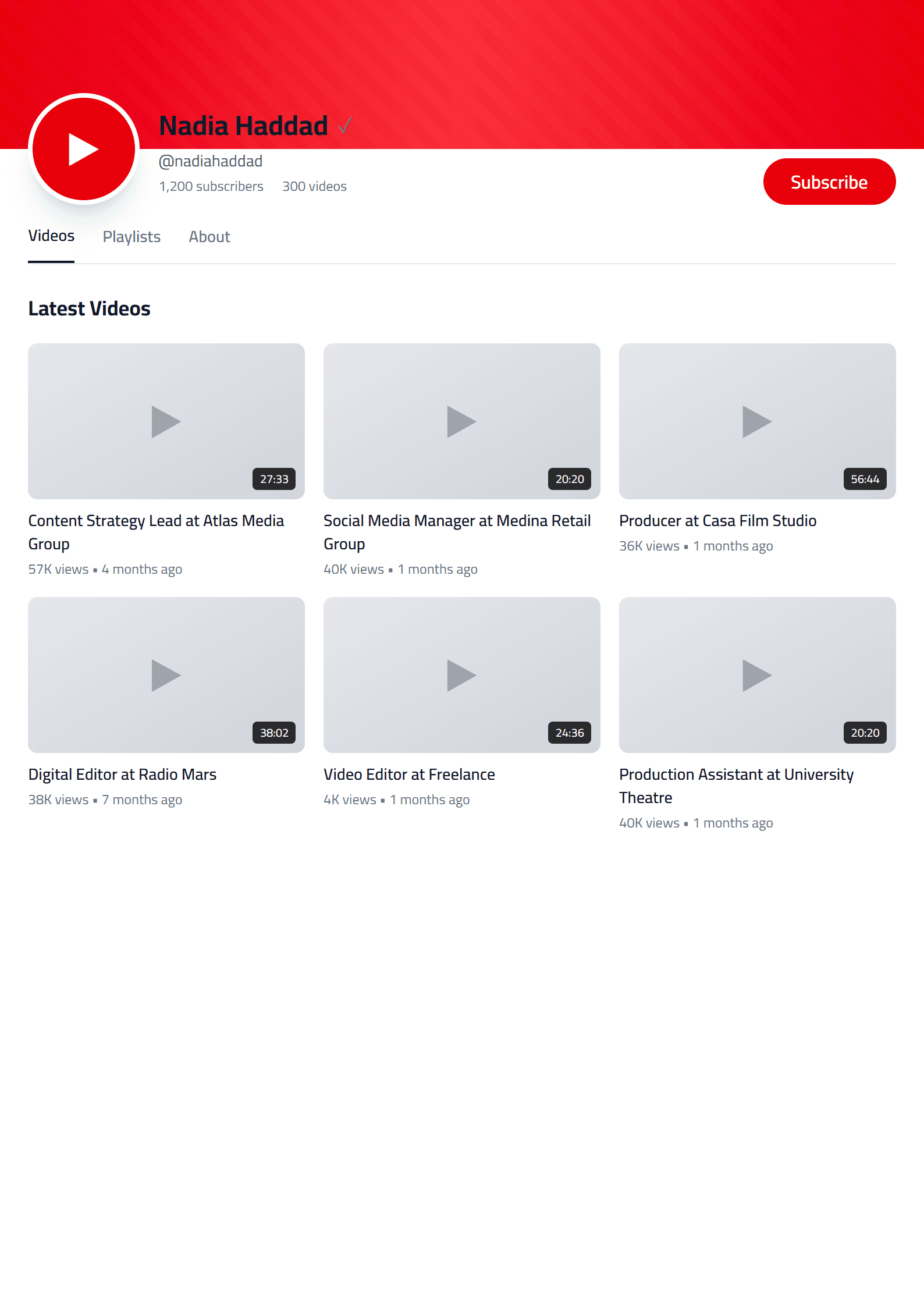
What Is the YouTube Channel Resume Template?
The YouTube Channel template on CV Brander is a creator-focused resume layout built for people whose work lives on camera, in the edit bay, or behind a growing channel. Instead of forcing your career into a rigid corporate grid, it treats your channel like the business it is: audience, content pillars, publishing cadence, sponsorships, and measurable growth. The design keeps your name and channel handle at the top, then flows into sections that recruiters, brand managers, and talent agencies actually scan for.
Because creator work is a mix of art and analytics, this template blends both. You get space for subscriber counts and watch-time milestones next to creative credits, so a hiring manager at a media company and a brand partnerships lead can both find what they need in seconds.
Who Should Use It
- Full-time YouTubers applying for brand deals, sponsorships, or network partnerships.
- Video editors, thumbnail designers, and channel managers pitching their services to creators.
- Journalists, educators, and coaches who run a channel alongside a traditional career.
- Students and side-hustlers who want to show audience-building skills to employers.
If your channel is your portfolio, this template turns it into a document that speaks the language of both the creator economy and HR. Pair it with the Creative template if you want to compare a bolder visual style, or start from the YouTube Channel page directly.
How to Fill It In Step by Step
- Open the editor. Go to the CV editor and select the YouTube Channel template. Everything is editable in the browser, no download required.
- Write a creator headline. Replace "Job Title" with something like "Tech Reviewer & YouTube Creator | 120K Subscribers" so the value is obvious in one line.
- Build a metrics-driven summary. In three sentences, state your niche, your audience size, and one hard result — for example, "Grew a cooking channel from 0 to 85K subscribers in 14 months with 4.2M total views."
- Turn your channel into experience. List the channel as your current role, then add bullet points for content strategy, editing workflow, community management, and monetization.
- Add collaborations and brand work. Name the brands, the deliverables, and the outcome. "Produced 6 sponsored videos for a fitness app; averaged 9% engagement."
- List tools and skills. Premiere Pro, DaVinci Resolve, Photoshop, SEO research, thumbnail A/B testing, analytics.
- Export and check. Download as PDF, then run it through the CV Score Checker to catch gaps before you send it.
What Recruiters and Brands Look For
Brand managers skim for three things: audience fit, production reliability, and past results. Put your niche and subscriber count near the top. Show that you ship on schedule by naming your upload cadence. Then prove impact with numbers — views, watch time, click-through rate, conversion on a promo code, or follower growth after a collab.
If you are applying to a media company rather than pitching a sponsor, add a short section on transferable skills: research, scripting, on-camera delivery, project management, and data analysis. Those are the words that get you past automated screening, which is why many creators keep a plain version of this resume built from the ATS Friendly template on hand.
Practical Tips for Creator Resumes
- Keep it to one page until you pass five years of professional experience.
- Use real numbers, not adjectives. "1.2M views" beats "very popular videos."
- Link your channel, portfolio, and best three videos as clickable text.
- Match keywords to the job post if you are applying for an in-house role.
- Update it every quarter so it never goes stale.
When you are ready to send applications, the Portfolio Builder helps you bundle your channel, press mentions, and case studies into one link you can drop into any email.
Frequently Asked Questions
Creators often ask whether a channel counts as work experience, how many metrics to include, and whether they need a separate corporate resume. The short answer: yes, your channel is experience, three to five metrics are plenty, and a second ATS-friendly version is smart if you are applying to traditional employers. Keep both versions current and tailored to the audience you are pitching.
Like this template?
Use this template now — Free100% Free
No registration or watermark
Multi-Format Export
PDF, Word, PNG, JPG
ATS Compatible
Templates specifically designed to pass ATS systems and increase your chances.