Call of Duty Resume Template — Military Precision CV
Build a military precision resume with the free Call of Duty CV template. Clean structure, ATS-ready layout and step-by-step tips. No sign-up needed.
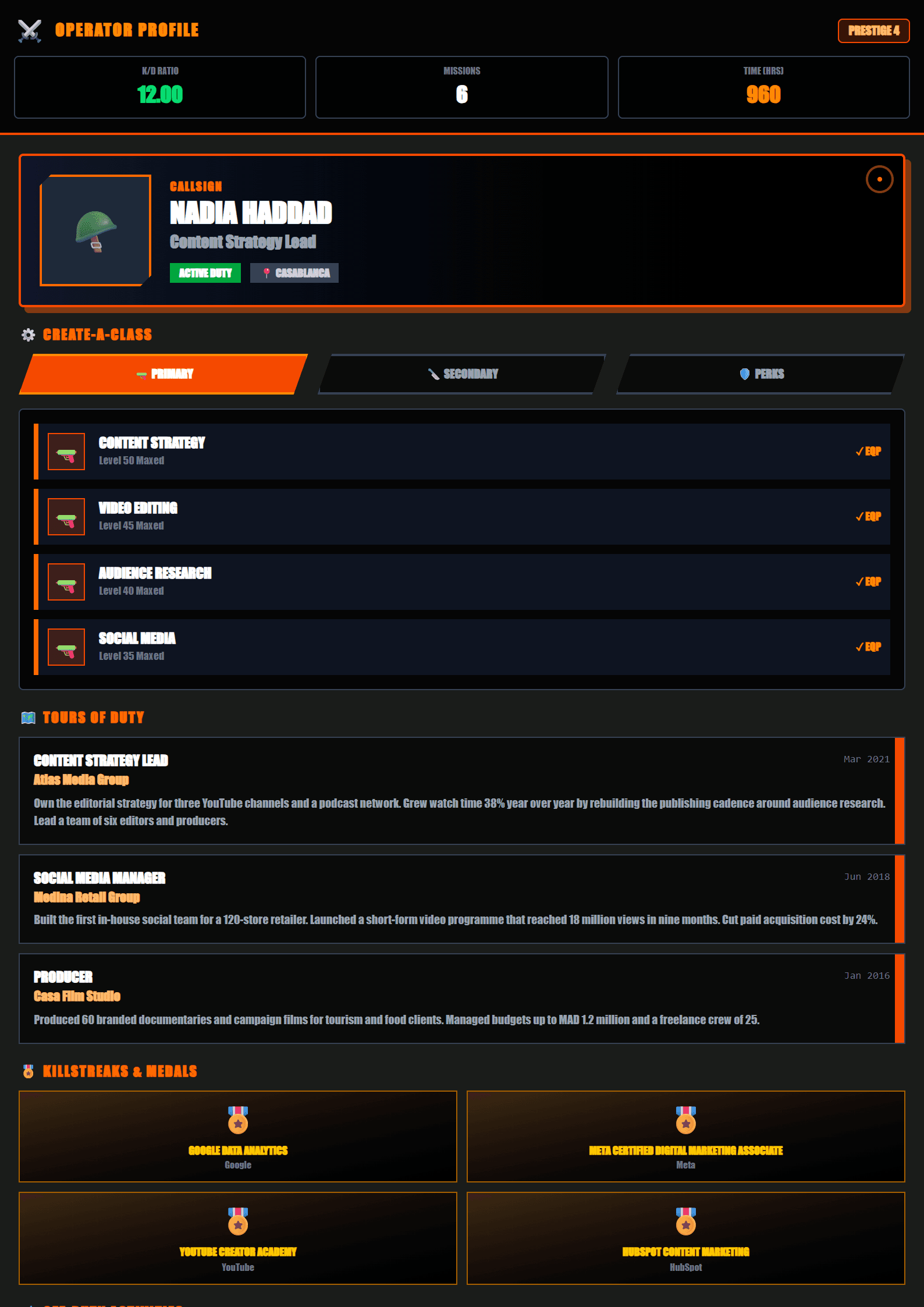
What Is the Call of Duty Resume Template?
The Call of Duty template on CV Brander is a military-inspired resume design built for people who want their career story to read with precision, discipline and zero wasted words. Every block is arranged like a mission briefing: objective, experience, skills, results. Instead of decorative graphics that confuse recruiters, this layout uses strong section headers, clean alignment and a confident typographic hierarchy that mirrors the structure hiring managers already expect.
It is the perfect choice if you work in security, logistics, law enforcement, engineering, operations, aviation, construction or any field where reliability and attention to detail matter more than playful design. It also works surprisingly well for project managers, data analysts and team leads who want to signal calm authority.
Who Should Use This Template
- Military and security professionals translating service records into civilian language.
- Operations and logistics specialists who need to show process, accuracy and accountability.
- Engineers and technicians listing certifications, equipment and safety training.
- First-time job seekers who want a serious, adult-looking document instead of a school-style layout.
- Career changers moving from tactical roles into corporate project or risk management.
If you prefer a softer visual identity, compare this layout with the Modern or Minimal options before you commit.
How to Build Your Resume Step by Step
- Open the editor. Go to the CV editor and select the Call of Duty layout from the template gallery.
- Write a mission-style objective. Two lines maximum: your role, your specialty and the value you deliver. Example: "Logistics supervisor with 8 years in high-volume inventory control, reducing stock discrepancies by 34%."
- Convert duties into results. Replace "responsible for" with measurable outcomes: numbers, percentages, time saved, budget managed, people trained.
- Group technical skills. Separate hard skills, certifications and tools into short labeled lists so scanning takes seconds.
- Add credentials. Licenses, clearances, safety training and languages belong in their own compact section.
- Run an ATS check. Use the ATS Resume Scanner to confirm your file parses correctly before sending it anywhere.
- Export and track. Download the PDF, then log every application in the Job Application Tracker.
Practical Tips That Make a Difference
- Keep the resume to one page under ten years of experience, two pages beyond that.
- Use strong action verbs at the start of every bullet: led, secured, optimized, coordinated, delivered.
- Mirror the exact job title and keywords from the posting; many employers filter by literal matches.
- Never include sensitive operational details. Describe scope and outcome, not classified specifics.
- Choose a clean, readable font at 10–12pt and keep margins at least half an inch.
- Save as PDF unless the employer explicitly requests an editable file.
If the tone feels too strict for the role you are targeting, the Executive template keeps the authority but softens the visual edge, while the ATS Friendly layout is the safest choice for large corporate portals.
Why Structure Beats Decoration
Recruiters spend seconds on a first scan. A disciplined layout tells them you organize information well, which is exactly the trait the Call of Duty template is designed to project. Combine it with a tailored cover letter from the Cover Letter Generator and your application reads as one coherent, professional package.
Like this template?
Use this template now — Free100% Free
No registration or watermark
Multi-Format Export
PDF, Word, PNG, JPG
ATS Compatible
Templates specifically designed to pass ATS systems and increase your chances.