Dark Souls CV Template — Bold Dark Resume Design
Create a bold Dark Souls CV with a dramatic dark layout. Free online builder, editable sections, ATS tips and instant PDF download. Prepare to job hunt!
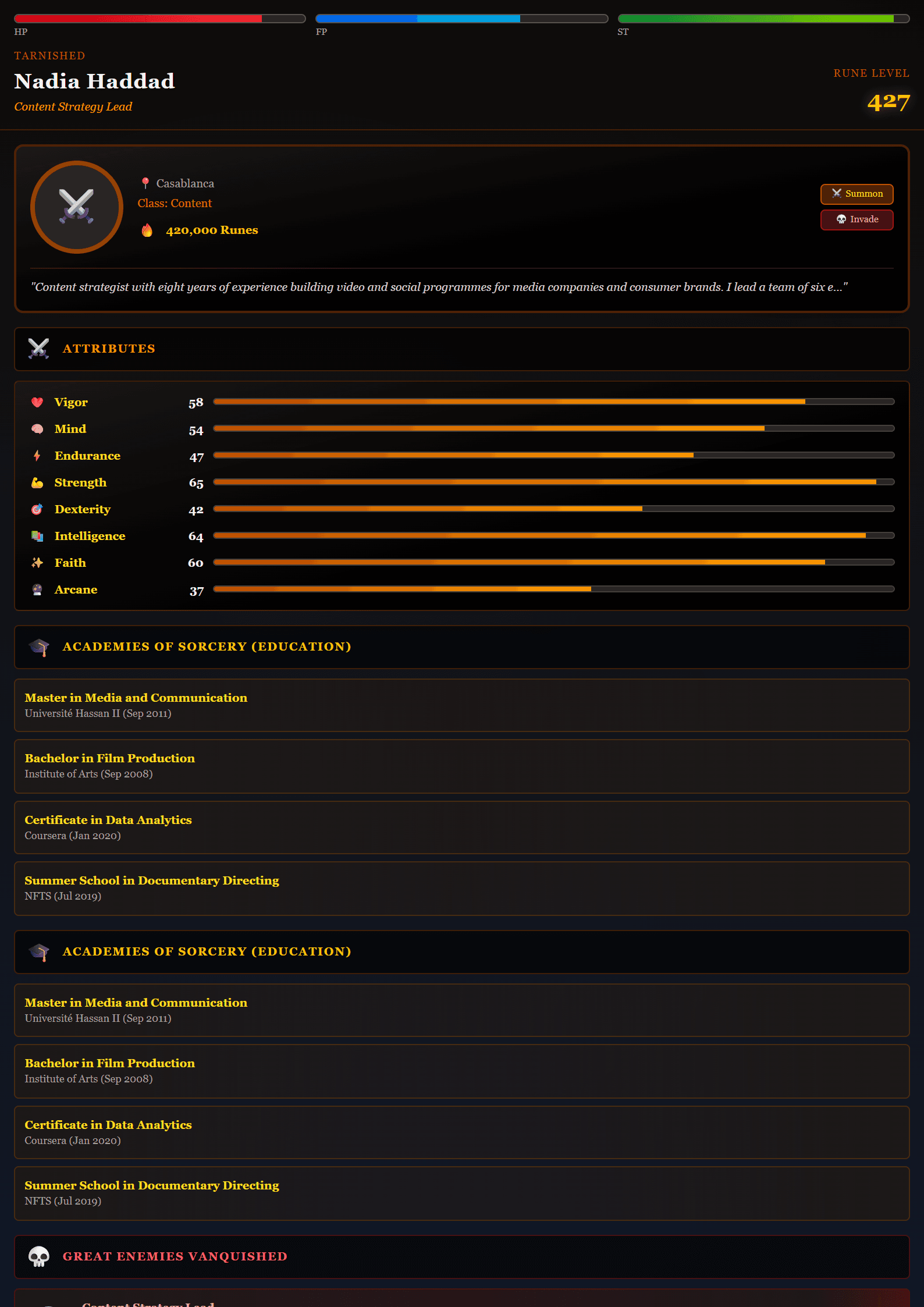
What Is the Dark Souls CV Template?
The Dark Souls template on CV Brander is a bold, atmospheric resume design inspired by the legendary video game series. It replaces the usual plain white page with a dark, dramatic layout that still keeps your professional information clean, readable and recruiter-friendly. The slogan says it all: Prepare to job hunt. This template is built for people who want their CV to feel intense, memorable and confident — without sacrificing structure.
Every section is editable, from your name and job title to skills, experience and education. You can start from the template and finish a complete CV in minutes using the built-in CV editor.
Who Should Use This Template?
The Dark Souls template works best for candidates in creative, gaming, tech and media industries, where personality is an advantage rather than a risk. It suits:
- Game developers, designers, streamers and esports professionals.
- Marketers and content creators who want a distinctive personal brand.
- Junior candidates who need to stand out from hundreds of identical resumes.
- Anyone applying to studios, agencies or startups with a casual culture.
If you are applying to a traditional bank, law firm or government role, a calmer design may serve you better. In that case, compare this template with the Classic or the ATS Friendly layout.
How to Use the Dark Souls Template Step by Step
- Open the Dark Souls template and click to start editing.
- Replace the placeholder name, title and contact details with your own information.
- Write a short summary of three to four lines that states your role, your strongest skill and your main achievement.
- Fill in your experience using action verbs and measurable results, for example "increased retention by 18%".
- List hard skills first, then soft skills, and remove anything you cannot defend in an interview.
- Download your CV as a PDF and keep an editable copy for future applications.
Design Tips for a Dark Template
Dark designs are powerful but easy to ruin. Follow these rules to keep your CV professional:
- Keep contrast high. Light text on a dark background must remain crisp on screen and in print.
- Limit the palette. One accent color is enough; two is the maximum.
- Protect the white space. Dark layouts feel heavier, so give each section room to breathe.
- Test before sending. Open the PDF on a phone and print one copy to check readability.
- Stay consistent. Use the same fonts, spacing and bullet style from top to bottom.
You can verify readability and keyword coverage with the Readability Analyzer before you apply.
Making a Dark Souls CV Pass ATS Screening
Many companies still parse resumes with applicant tracking systems. A stylish template can fail if the software cannot read it. Protect yourself by using standard section headings such as "Experience" and "Education", avoiding text inside images, and saving as a text-based PDF. If the job posting mentions ATS explicitly, submit a plain version as well — the ATS Tech Pro template is a safe companion file. Run the ATS Resume Scanner to see how your file is parsed before you hit send.
Final Advice Before You Apply
A memorable design opens the door, but content closes the deal. Tailor your summary and skills to each job description, keep the CV to one or two pages, and always add a short cover letter. With the Dark Souls template you get a CV that looks like no other — just make sure the achievements inside it are just as impressive as the design. Prepare to job hunt, and good luck.
Like this template?
Use this template now — Free100% Free
No registration or watermark
Multi-Format Export
PDF, Word, PNG, JPG
ATS Compatible
Templates specifically designed to pass ATS systems and increase your chances.