Duolingo CV Template — Free & Editable
Create a standout Duolingo-style CV for free. Editable template with language sections, tips and ATS-friendly export. No sign-up needed.
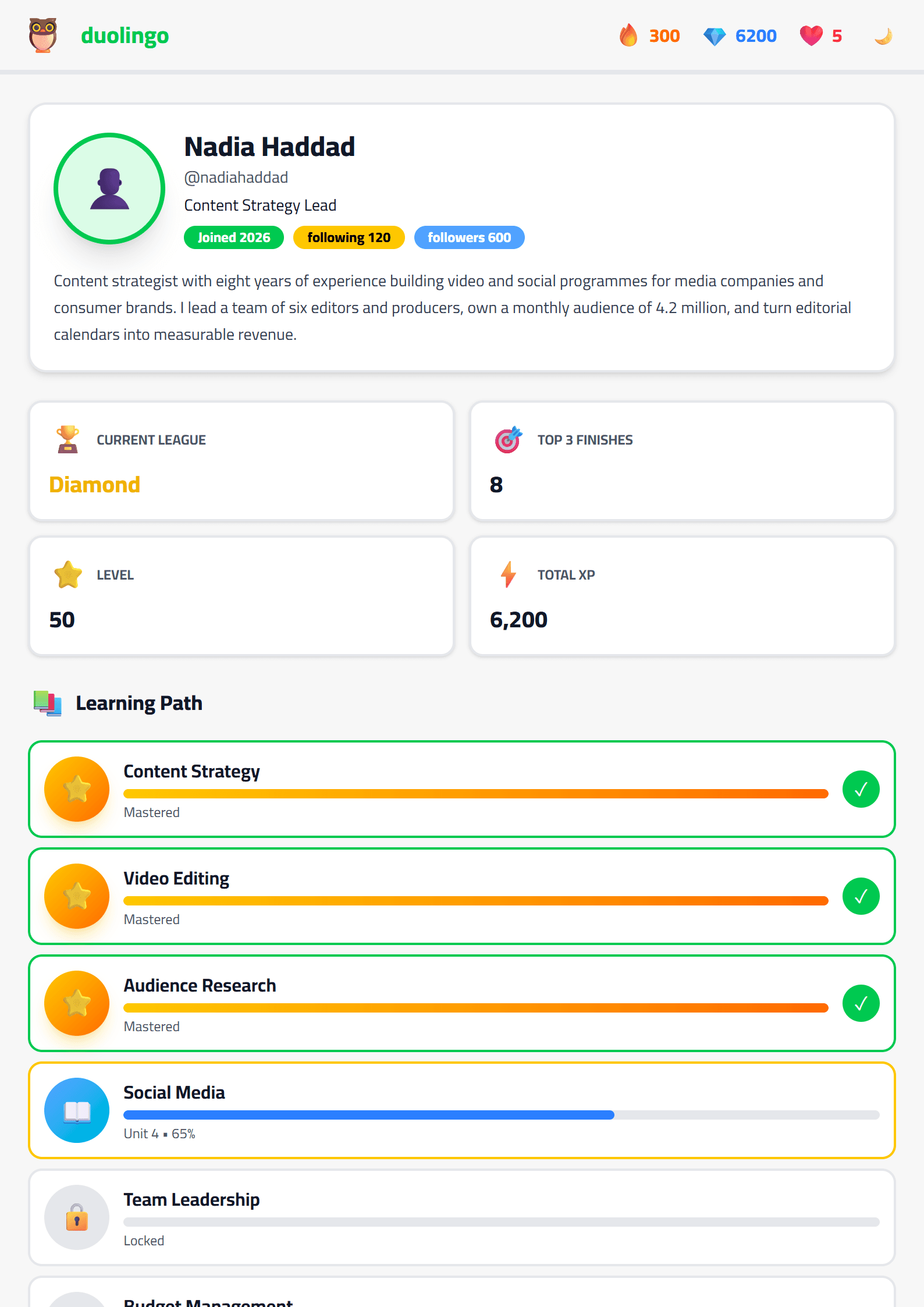
What Is the Duolingo CV Template?
The Duolingo CV template on CV Brander is a playful, language-learning-inspired resume design built for candidates who want their application to stand out while staying readable. It borrows Duolingo's friendly green palette and mascot energy, but it is organized like a real professional document: a clear header, a skills section, work experience, education, and optional language proficiency bars. If you have ever kept a streak alive on Duolingo, you already understand the mindset this template rewards: consistency, small daily wins, and visible progress.
You can open the template directly at Duolingo CV template and start editing in the browser without registration. Everything is free, and your data stays in your session.
Who Should Use This Template
This design works best for people whose story includes learning, teaching, or communicating across cultures. Typical users include:
- Language learners and polyglots who want to highlight multiple languages on one page.
- Teachers and tutors of English, Spanish, French, Arabic, or any other language.
- Students and graduates applying for their first internship or exchange program.
- Customer support and localization specialists who work with multilingual audiences.
- Career changers who want a friendly, approachable first impression.
If your target industry is very conservative — law, banking, government — consider a more formal option such as the Executive template instead, and keep this one for creative, education, or tech roles.
How to Fill It In Step by Step
- Start with the header. Add your full name, job title, city, email, phone, and a link to your portfolio or LinkedIn.
- Write a short summary. Three lines maximum. Mention your languages, your level, and the role you are targeting.
- Add a language section. List every language with a proficiency label: native, fluent, professional, intermediate, or basic. Be honest — interviewers test this.
- List your experience. Use bullet points with action verbs and numbers. "Taught 40 students" beats "responsible for teaching."
- Add skills and tools. Include translation software, CRM systems, teaching platforms, or anything relevant.
- Review and export. Check spelling, then download as PDF. Run it through the CV Score Checker before you send it.
Design Tips That Keep It Professional
The Duolingo style is colorful, so balance is everything. Keep the green accent for headings and section dividers, and leave the body text in a dark neutral color. Use one accent color, not five. Keep the mascot-style graphics small or remove them entirely if you are applying to a corporate role. Choose a clean sans-serif font at 10–12pt for body text, and make sure there is at least 1.5cm of white margin on every side.
If you need a version that survives automated screening, duplicate the content into the ATS Friendly template. Recruiter software reads plain structure better than decorated layouts, so many candidates keep two versions: one visual, one ATS-safe.
Common Mistakes to Avoid
- Listing a language as "fluent" when you can only read it.
- Filling the page with icons but no measurable achievements.
- Using a personal photo in countries where it is discouraged.
- Forgetting to tailor the summary to each job posting.
- Sending a PDF that is larger than 2 MB.
For a shorter, one-page alternative, look at the Short template. For bilingual applications, the Bilingual template pairs well with this one.
Final Checklist Before You Apply
Read the job description one more time and highlight every required skill. Make sure each of those skills appears somewhere in your resume — in the summary, the experience bullets, or the skills list. Check that your contact email is professional. Proofread out loud, then ask a friend to read it. Finally, export a PDF, name the file FirstName-LastName-CV.pdf, and send it with a tailored cover letter built with the Cover Letter Generator.
Like this template?
Use this template now — Free100% Free
No registration or watermark
Multi-Format Export
PDF, Word, PNG, JPG
ATS Compatible
Templates specifically designed to pass ATS systems and increase your chances.