Notion CV Template — Clean, Free Resume Builder
Build a clean Notion-style CV for free. Structured, ATS-friendly layout, easy step-by-step editing, and instant PDF download in English, Arabic or French.
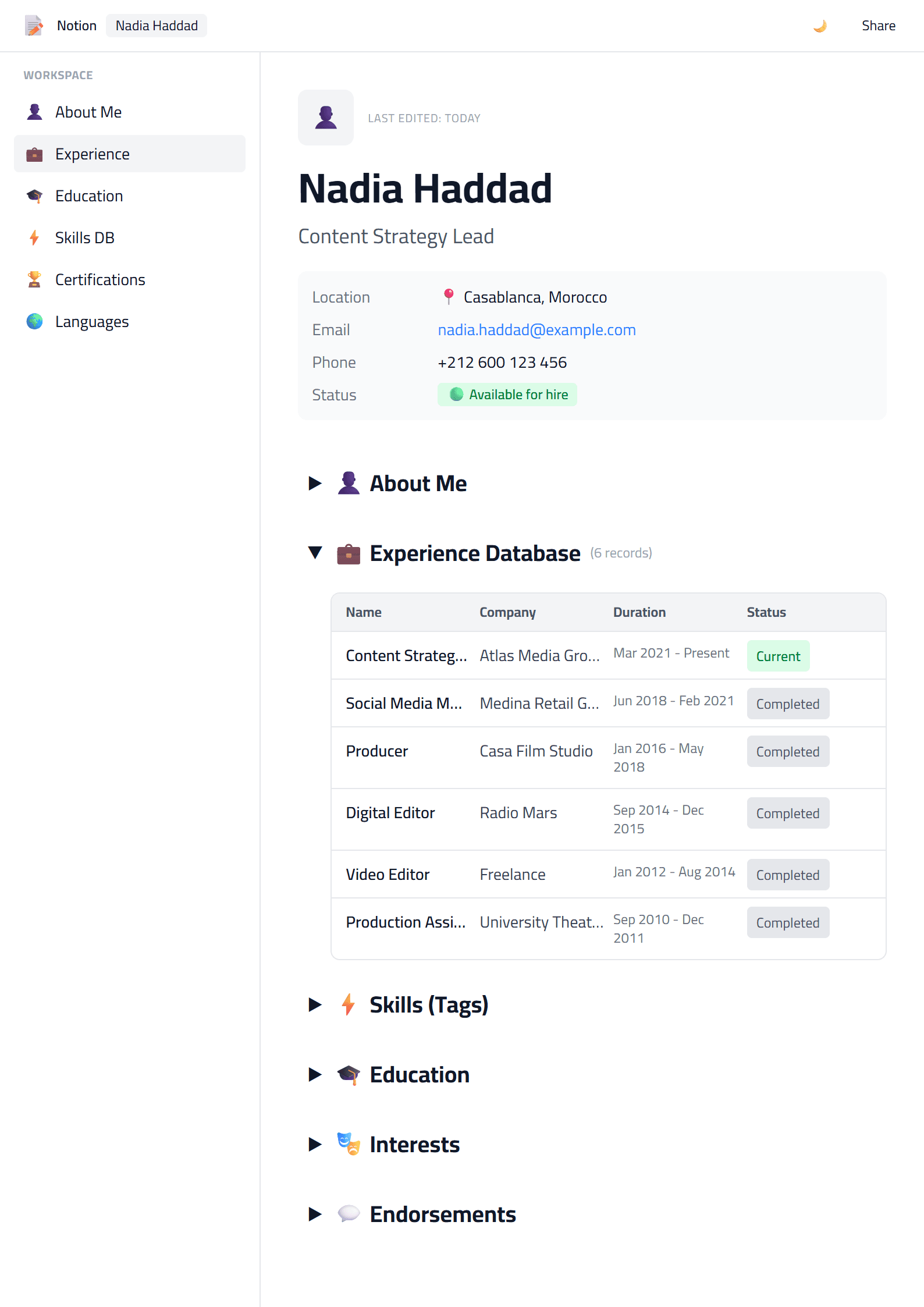
What Is the Notion CV Template?
The Notion template on CV Brander is a clean, productivity-inspired resume layout. It borrows the calm, structured aesthetic of modern workspace tools — generous white space, tidy dividers, and a logical hierarchy — and turns it into a professional CV you can build in minutes. If you like the feeling of an organized dashboard, this template gives your career story the same clarity.
The design keeps the focus on your content: roles, results, and skills. Because it avoids heavy graphics and decorative clutter, it also plays well with applicant tracking systems. You can start from the Notion CV template page and open it directly in the editor.
Who Should Use This Template
The Notion style suits people who value clarity over decoration. It works especially well for:
- Product managers and project coordinators who already live in planning tools.
- Operations, HR, and admin professionals who need a neat, scannable document.
- Remote workers and freelancers applying to distributed teams.
- Career changers who want to reframe experience without visual noise.
- Students and graduates building a first clean, professional CV.
If your target role is more traditional or corporate, you may prefer the Classic template. If you want something slightly bolder while keeping the same tidy structure, compare it with the Modern template.
How to Build Your Notion CV Step by Step
- Open the template. Go to the Notion template and click to start editing.
- Add your header. Full name, target job title, city, email, phone, and one relevant link such as LinkedIn or a portfolio.
- Write a short summary. Three lines: who you are, your strongest skill, and the result you bring.
- List experience in reverse order. For each role, use a job title, company, dates, and two to four bullet points with measurable outcomes.
- Group your skills. Split them into core, tools, and soft skills so a recruiter can scan them fast.
- Add education and extras. Degrees, certifications, languages, and volunteering if they support your target role.
- Check and download. Run a quick review, then export a PDF with a clear file name like Firstname-Lastname-CV.pdf.
Practical Tips for a Strong Notion-Style CV
- Keep one page if you have under ten years of experience; two pages maximum otherwise.
- Lead with numbers. "Cut onboarding time by 30%" beats "responsible for onboarding."
- Mirror the job ad. Reuse the exact keywords the employer uses for skills and tools.
- Use one accent color at most, and keep body text in a readable size.
- Save a plain version. Keep a simple copy for online application forms that strip formatting.
Before sending, test your document with the ATS Resume Scanner to confirm that headings, dates, and keywords are parsed correctly. If you are applying in more than one language, the Multi-Language CV Translator helps you keep every version consistent.
Notion vs Other Resume Styles
The Notion look sits between the strict ATS Friendly template and the more expressive Minimal template. It is cleaner than a creative layout but warmer than a plain text resume, which makes it a safe choice for tech, SaaS, and modern office roles. When you are ready, build it in the CV editor and export whenever you like.
Like this template?
Use this template now — Free100% Free
No registration or watermark
Multi-Format Export
PDF, Word, PNG, JPG
ATS Compatible
Templates specifically designed to pass ATS systems and increase your chances.