Spotify CV Template — Free Playlist Resume Builder
Build a standout Spotify-style CV for free. Turn your career into a playlist with editable sections, instant PDF export and no sign-up needed.
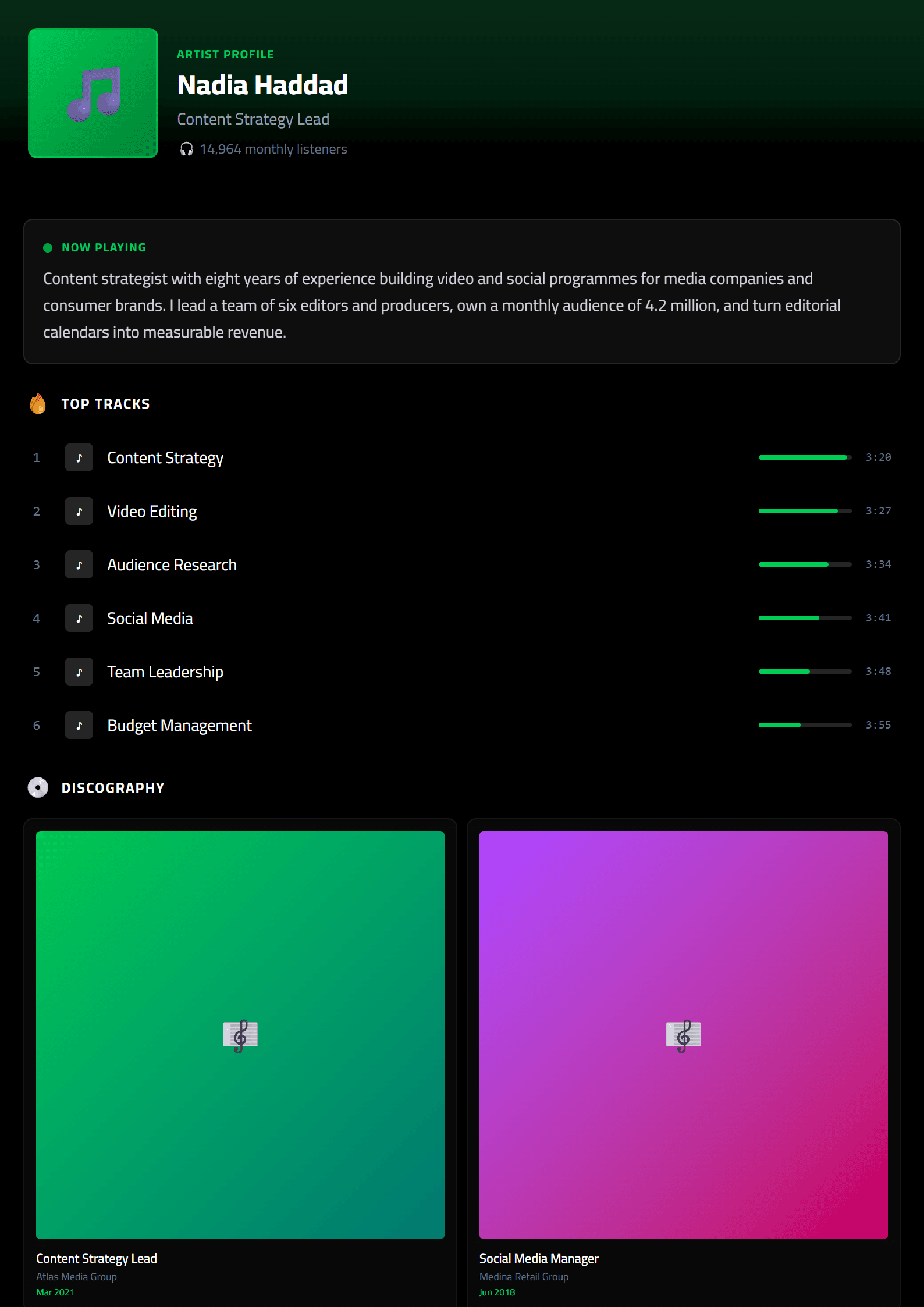
What Is the Spotify CV Template?
The Spotify CV template on CV Brander turns your resume into a sleek, music-streaming-inspired profile. Instead of a plain document, your experience is presented like a curated playlist: your headline is the "artist," your skills become "top tracks," and your career summary reads like a bio. It is a playful yet professional way to stand out when you apply for creative, marketing, social media, or tech roles where personality matters.
Like every CV Brander design, this template is fully editable in the CV editor and exports to PDF in seconds — no sign-up required.
Who Should Use This Template?
The Spotify layout works best for candidates whose work lives at the intersection of culture and content. Consider it if you are:
- A social media manager, content creator, or copywriter.
- A music, podcast, or entertainment industry professional.
- A UX/UI designer or front-end developer with a portfolio-first mindset.
- A marketing specialist applying to startups or creative agencies.
- A student or junior candidate who wants a memorable first impression.
If you are applying to a bank, law firm, or government body, a more conservative layout such as the Classic template or an ATS-friendly template will serve you better.
How to Build Your Spotify CV Step by Step
- Pick the template. Open the Spotify template page and click to start editing.
- Write your artist name. Use your full name plus a short tagline, e.g., "Sara Nabil — Brand Storyteller."
- Draft your bio. Two or three lines summarizing your experience, niche, and biggest win.
- Create your top tracks. List 4–6 achievements as if they were songs: "Grew Instagram from 2K to 45K in 8 months."
- Add your playlists. Group skills into themes like "Content Strategy," "Paid Social," and "Analytics."
- Fill in the details. Include work history, education, and contact links (portfolio, LinkedIn, Behance).
- Check the score. Run your draft through the CV Score Checker to catch weak phrasing.
- Export and send. Download as PDF and attach it to your application.
Practical Tips for a Standout Playlist CV
- Keep the metaphor light. One or two playful labels are enough; the recruiter still needs facts.
- Lead with numbers. "Increased engagement 63%" beats "responsible for social media."
- Match the job ad. Mirror keywords from the posting so both humans and software recognize your fit.
- Use action verbs. Tools like the Action Verb Enhancer can sharpen every bullet.
- Stay on one page if you have under five years of experience.
- Test the file. Open the PDF on your phone to confirm the layout holds.
Why a Themed CV Works
Recruiters spend an average of six to eight seconds on a first scan. A themed template like Spotify gives them an instant mental hook — they remember the candidate who looked like a playlist, not the twentieth Word document of the day. Combined with strong metrics and clean formatting, that recall can be the difference between a rejection and an interview.
Pair this template with other creative formats such as the Instagram template or the Netflix template when you want to A/B test which style gets more replies. Both are free and take minutes to customize.
Like this template?
Use this template now — Free100% Free
No registration or watermark
Multi-Format Export
PDF, Word, PNG, JPG
ATS Compatible
Templates specifically designed to pass ATS systems and increase your chances.