Receipt CV Template — Itemized Skills Resume
Build a Receipt-style CV that lists your skills and achievements as clear line items. Free template, ATS-friendly, ready to edit and download in minutes.
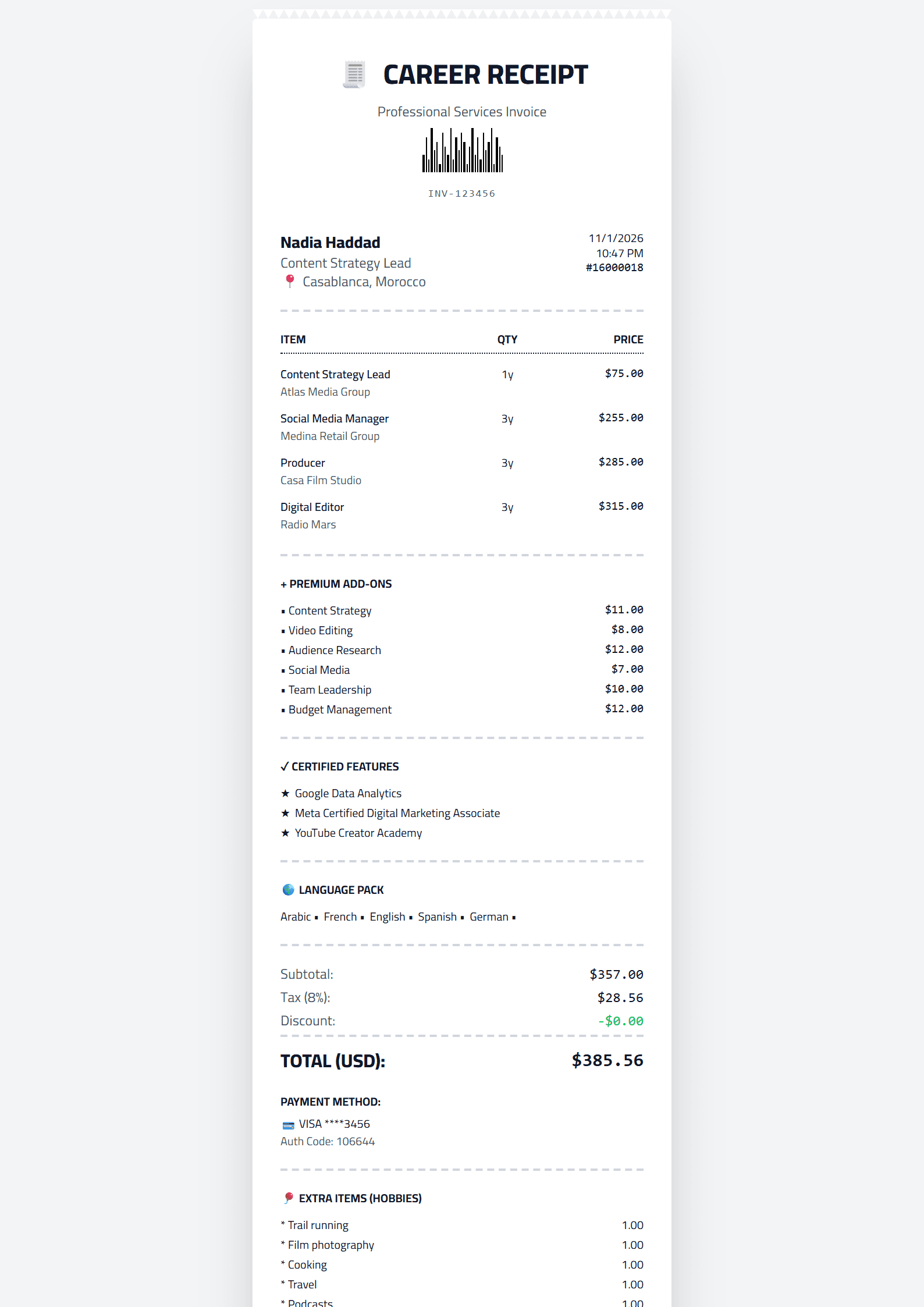
What Is the Receipt CV Template?
The Receipt template on CV Brander turns your resume into a clean, itemized receipt-style document. Instead of long paragraphs, your skills, experience and achievements appear as neatly listed line items — much like the printed receipt you get at a store. It is a playful yet surprisingly practical layout that makes every qualification easy to scan in seconds.
The core idea is transparency: recruiters instantly see what you bring, item by item. Each entry can carry a short label, a value and a brief note, so your strongest skills stand out without visual clutter. If you like the concept but prefer a different visual identity, you can compare it with the Classic or Minimal templates and pick whichever fits your industry.
Who Should Use the Receipt Template?
This template works best for candidates whose value is best expressed as a list of concrete, measurable items. It suits:
- Retail, hospitality and service workers — shift counts, sales figures and customer ratings read naturally as receipt lines.
- Freelancers and contractors — project names, deliverables and rates fit an itemized format perfectly.
- Students and career changers — courses, certificates and transferable skills look organized rather than sparse.
- Technical and data roles — tools, languages and certifications are easy to itemize.
If you are targeting a very conservative corporate or academic role, a more traditional option such as the Executive or Academic template may be safer. The Receipt design shines when personality and clarity matter as much as formality.
How to Build Your Receipt CV Step by Step
- Open the editor. Go to the CV editor and select the Receipt template from the templates gallery.
- Write your header. Add your name, target job title, email, phone and location. Keep it to two lines.
- Itemize your skills. Convert your skill list into short lines: skill name, level and one proof point. For example: “Excel — advanced — built monthly sales dashboards.”
- List experience as line items. For each role, add the company, dates and three to five bullet achievements with numbers wherever possible.
- Add an “extras” section. Certifications, languages, volunteer work and tools can all appear as separate receipt lines.
- Check ATS compatibility. Run your draft through the ATS Resume Scanner to confirm the layout parses correctly.
- Download and send. Export as PDF for applications and keep an editable copy for tailoring.
Practical Tips for a Strong Itemized CV
- Quantify everything. “Increased sales by 18%” beats “responsible for sales.”
- Keep lines short. One idea per line; the receipt format rewards brevity.
- Order by relevance. Put the most job-relevant items at the top of each section.
- Use consistent labels. If one line says “Certification,” do not switch to “Certificate” later.
- Match keywords to the job ad. Use the Resume Keyword Optimizer to find missing terms.
- Proofread the totals. Dates, numbers and job titles must be accurate and consistent.
Why the Format Works
Recruiters spend only a few seconds on a first scan. An itemized layout gives them a checklist they can absorb instantly, which increases the chance your key qualifications are actually seen. It also forces you to be specific: vague claims are hard to itemize, so the format naturally pushes you toward measurable statements.
When you are ready, open the Receipt template in the editor, fill in your line items, and download a document that reads as clearly as a well-organized receipt — every qualification accounted for.
Like this template?
Use this template now — Free100% Free
No registration or watermark
Multi-Format Export
PDF, Word, PNG, JPG
ATS Compatible
Templates specifically designed to pass ATS systems and increase your chances.